Building a Crossword Puzzle Game for Ghanaians
Demo
Introduction
I enjoyed solving Junior Graphic crosswords with friends back in junior high school. It was a fun break during our free periods, filled with some lively, Kalyppo-powered moments.

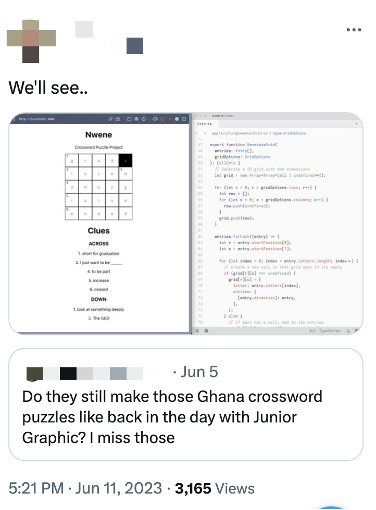
Recently, I found myself thinking about those good old days, especially the fun times with crossword puzzles. What struck me was the absence of Ghanaian crossword puzzles that capture our pop culture. So, I thought, why not create one? I put it out there, got feedback from folks on ‘Ghana Twitter,’ and voila, Nwene Crosswords came to life!
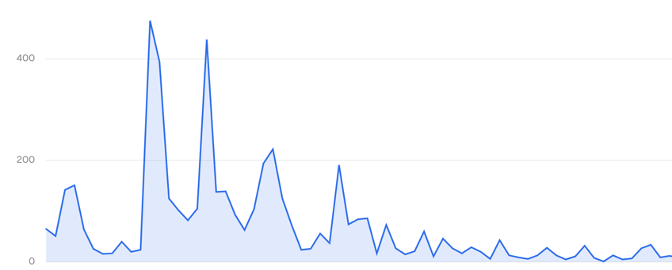
The puzzle game was a success! We released the first playable version of Nwene in July. Since then, it’s been played over 8,000 times by at least 4,000 players, with a majority of players from Ghana. The first season was fantastic, and we’re preparing to start the next one soon!
This blog post goes into the technical details of how I implemented the game. Enjoy!
Concepts
Nwene is like typical crossword games. Players get clues, fill in letters in empty slots on a grid, and score points. The main aspects are the game objects, player movement, and scoring.
Game Objects
These are the pieces that make up the puzzle:
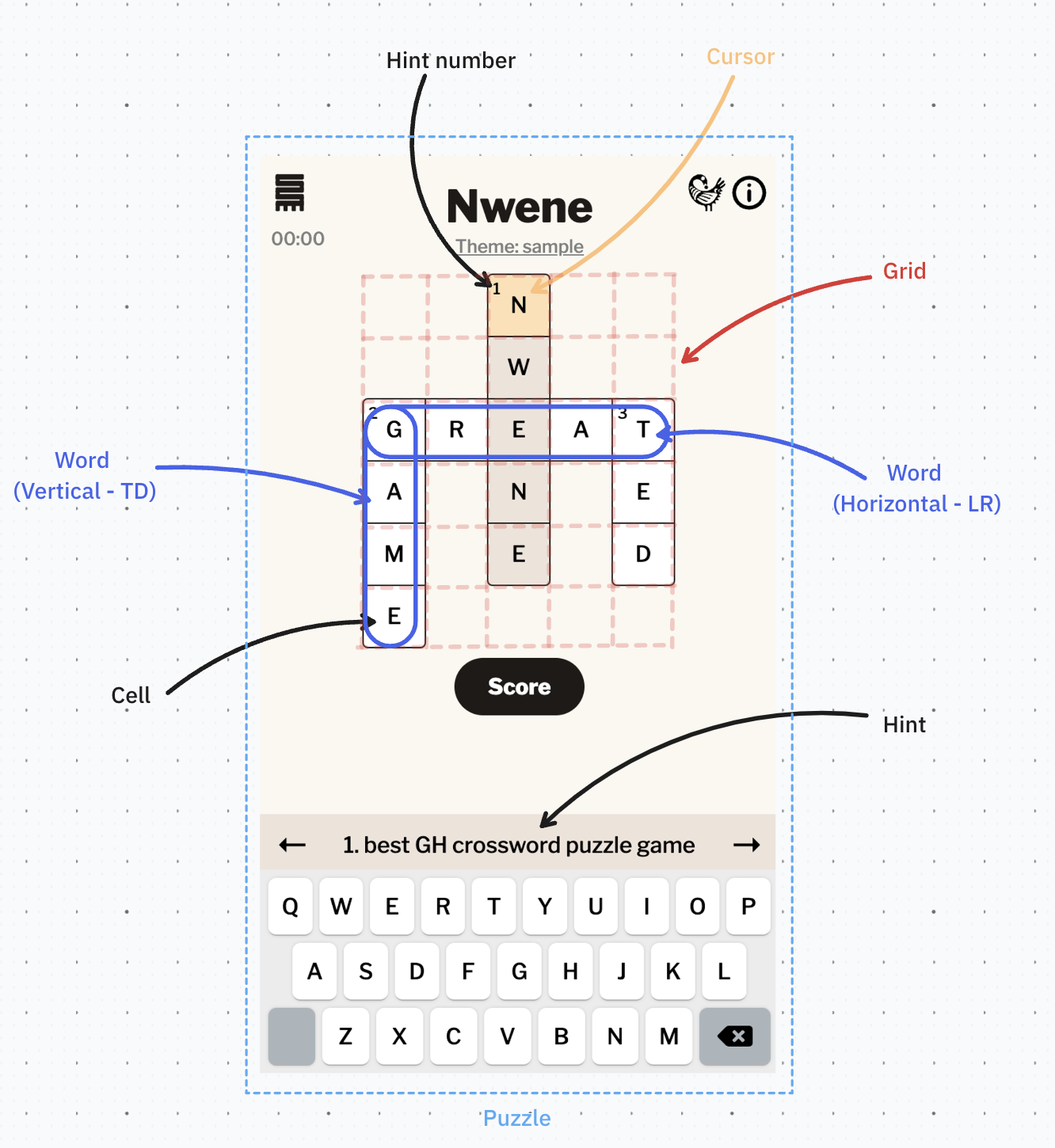
Puzzle
Represents a crossword puzzle that contains words arranged on a grid, along with their corresponding hints
Grid
This is the game space with words and cells for players to move and fill in with letters. To keep the screen tidy, we’ll hide the non-playable parts of the grid
Word
This is presented as a row of cells, each for a single letter. Words can be oriented either vertically (up and down) or horizontally (left and right). Every word is accompanied by a hint, and its starting cell is marked by the number corresponding to that hint
Hint
This is a numbered text description offering a clue about a word. Each hint associated with a number and multiple words can share the same number. For example, both “GAME“ and “GREAT“ share hint number 2 because they begin from the same location, albeit with different orientations.
Cell
This symbolizes a letter in a word or two and accepts input from the player when it is active.
Cells can exist in various states:
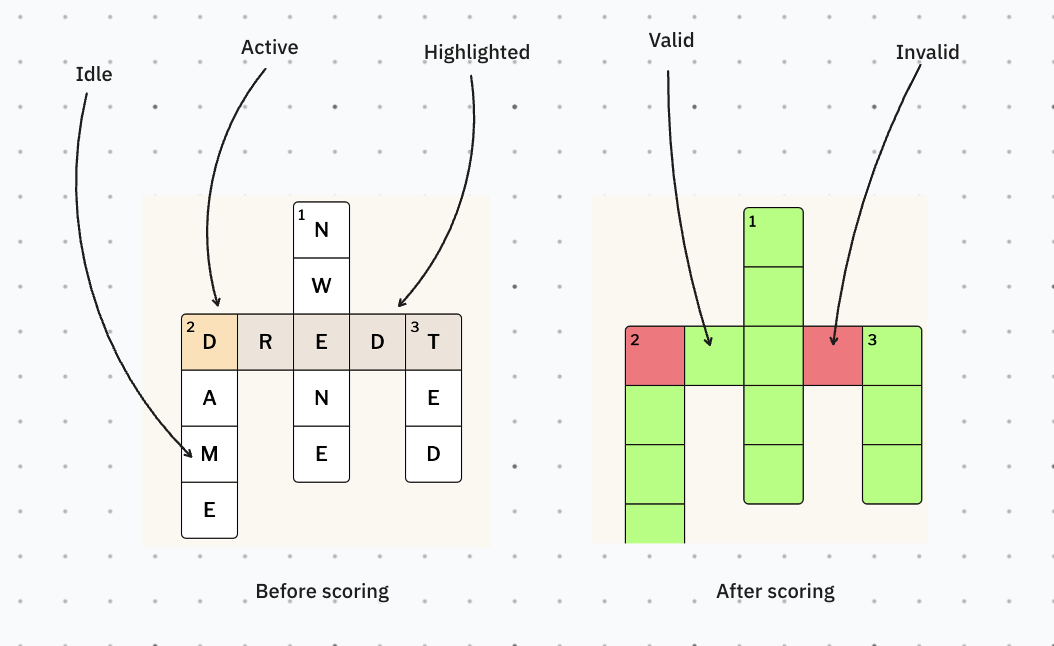
- Idle: The initial default state
- Active: cell with the cursor, ready to receive the player’s input. Only one cell can be active at any time
- Highlighted: cell belongs to the presently selected word and hint
- Valid: cell with a correct letter, scored as correct
- Invalid: cell with an incorrect letter, scored as incorrect
Cursor
This indicates the current cell where the player’s typed letter will be placed.
Movement
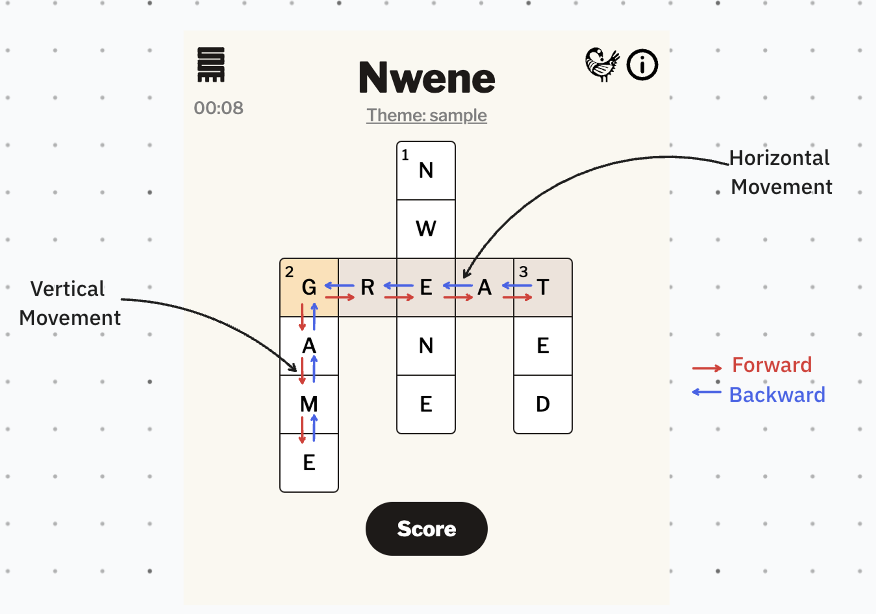
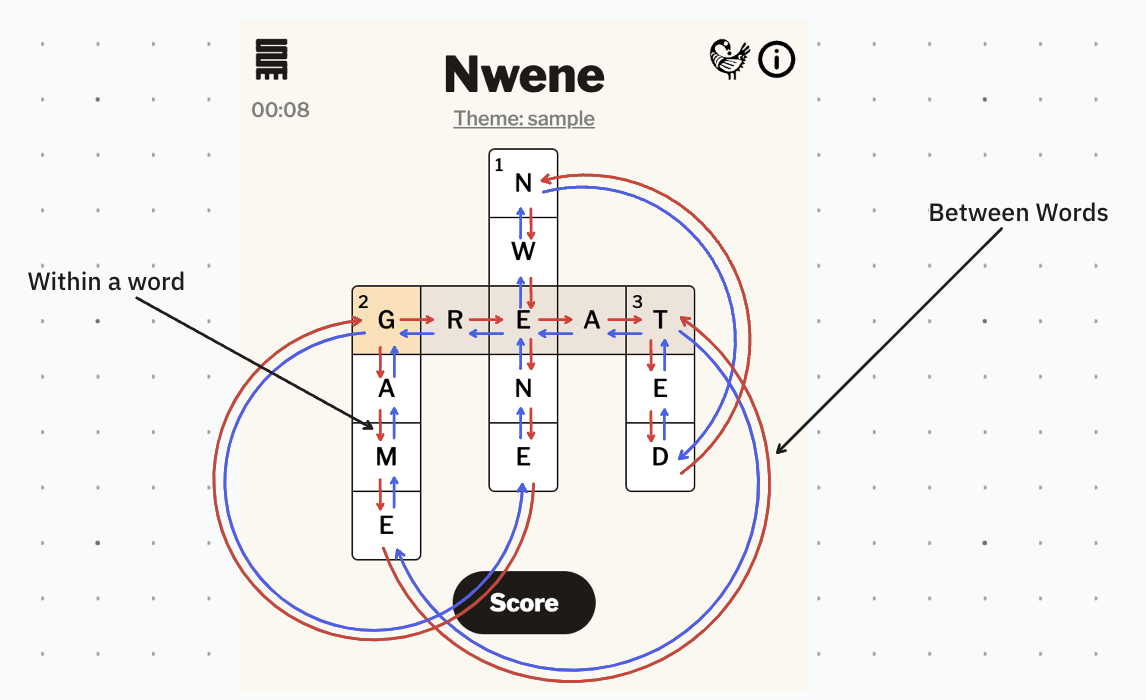
You can move the cursor backward or forward, depending on the current word’s orientation. And this movement can be within a word or between words.
Within a word
The cursor can move between cells in a word. It can either go up and down if it’s a vertical word, or side to side if it’s a horizontal word.
Between words
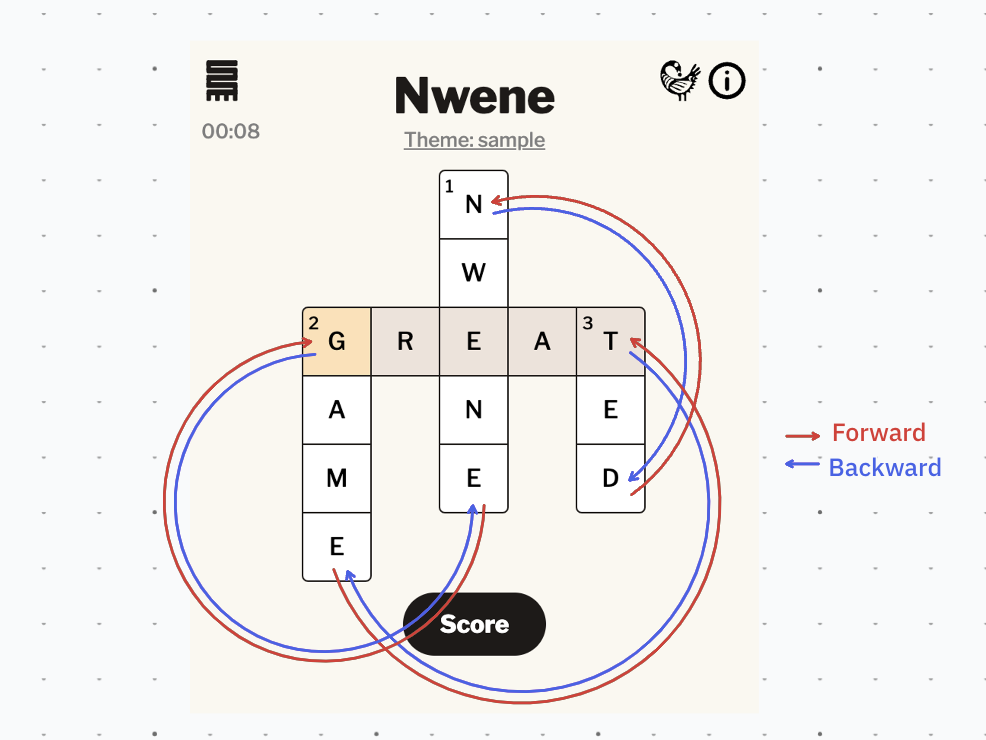
When the cursor is at either end of a word, it can jump forward to the next word or backward to the previous.
Combine these levels of movement and we have an exciting navigation graph!
Scoring
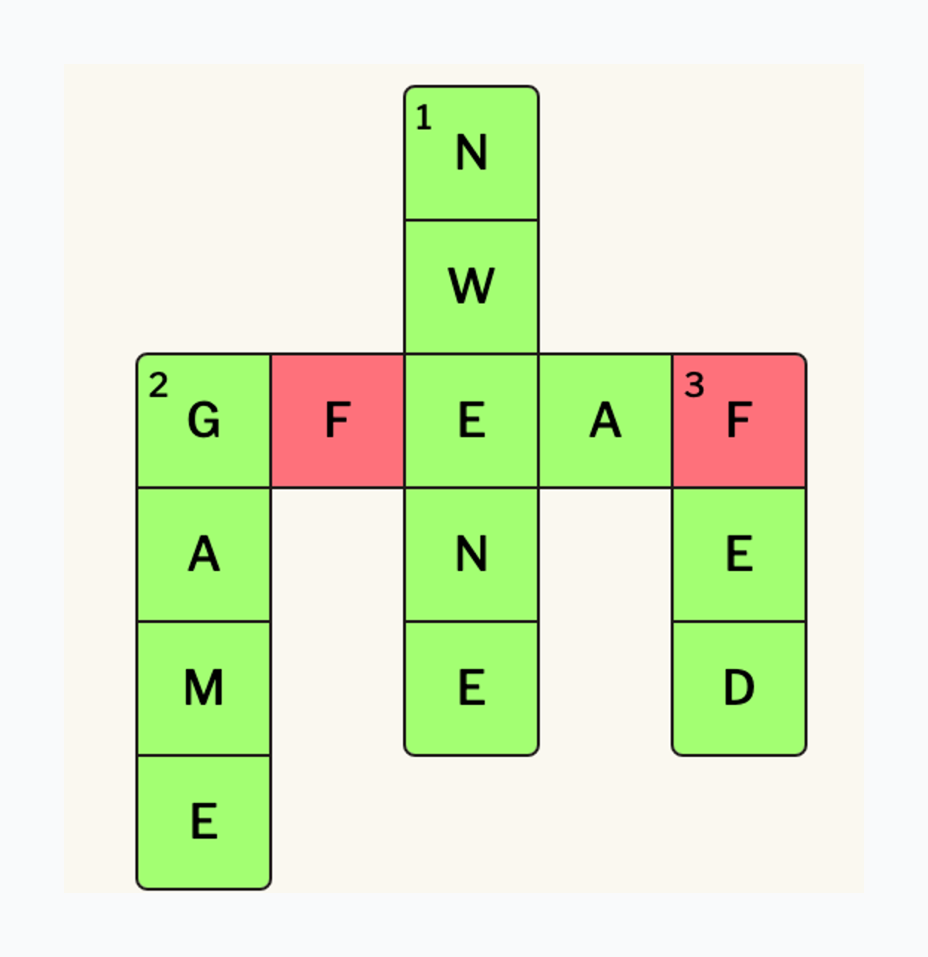
Once you’ve filled in the puzzle grid, you’re itching to know how you did, right? Scoring is simple. We label each cell as valid or invalid based on whether the entered letter hits the mark. The final score is the percentage of cells that are valid
Okayy! Now that we’ve discussed key concepts, let’s explore how I implemented the game.
Code Architecture
High-Level Overview
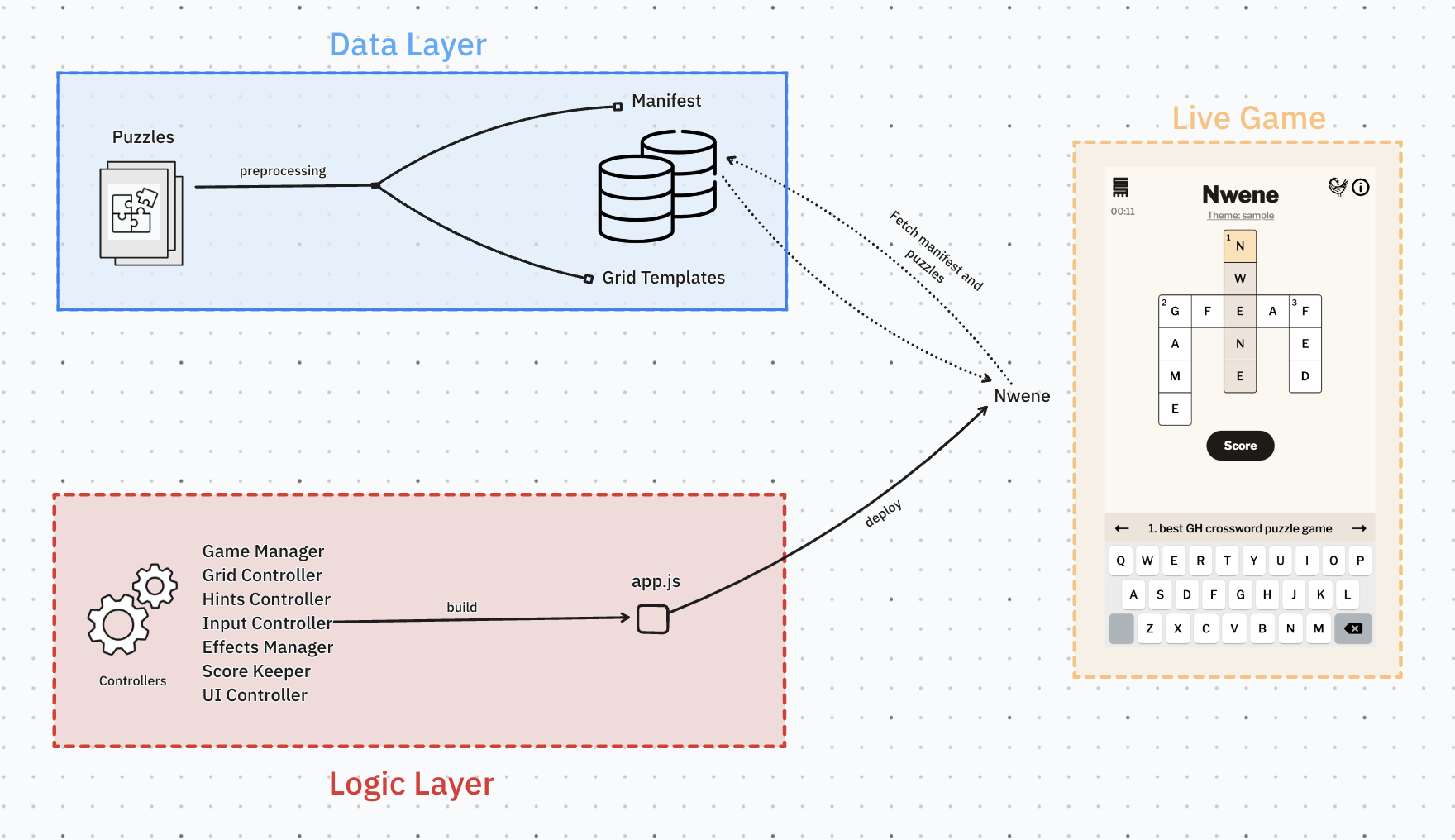
I wrote Nwene in Typescript as a static web app, everything happens on the client-side and there’s no “backend”. I architected it in two layers to make things modular and scalable. These are:
- Data layer: Processes puzzles into grid-like structures (templates) so that they can be loaded on the web app (client-side).
- Logic layer: Handles the game’s interactivity. Its controllers are compiled down to Javascript and served as the web app.
Data Layer
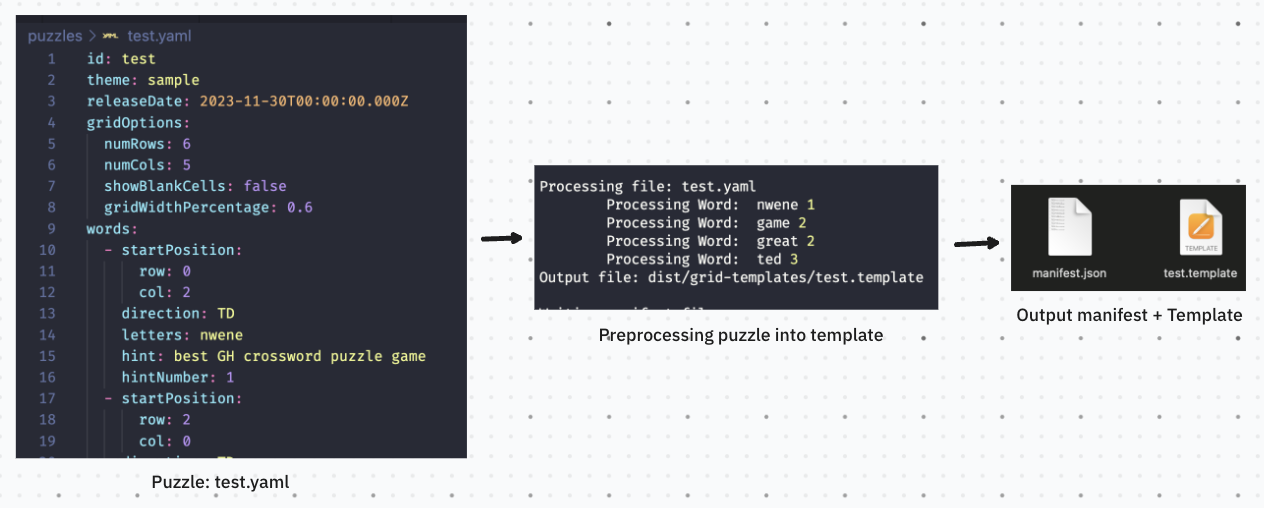
I write puzzles in YAML, describing words with details like starting positions, hints and orientations—“TD” is for up and down, and “LR” means left and right. I keep this data separate so changing puzzles is easy without having to rebuild the game. This helps set up a step (preprocessing) where we calculate the puzzle’s layout and store that as a grid-like template. This template defines how each cell looks, making it simpler for controllers to render the grid when the game starts.
We also need a way to tell Nwene about puzzles and how to get them. So, the scripts that preprocess puzzles also create a manifest file. This manifest has details about each puzzle and where to find them. Game controllers use it to load specific puzzles and see all the available ones.
Logic Layer
This layer contains the many controllers that bring life to Nwene. It’s a collection of modules that handle different aspects of the game, all orchestrated by—yes, you know it—the Game Manager.
Game Manager
This starts the game, getting puzzle’s grid templates based on the manifest, and sets up everything for player interaction. It’s in charge of coordinating the other controllers and manages all global game state.
Grid Controller
This controller generates an interactive grid of cells using the template fetched by the Game Manager. It also handles cursor navigation on the grid.
Grid Generation
The controller loops through each cell in the grid template and generates their interactive HTML elements.
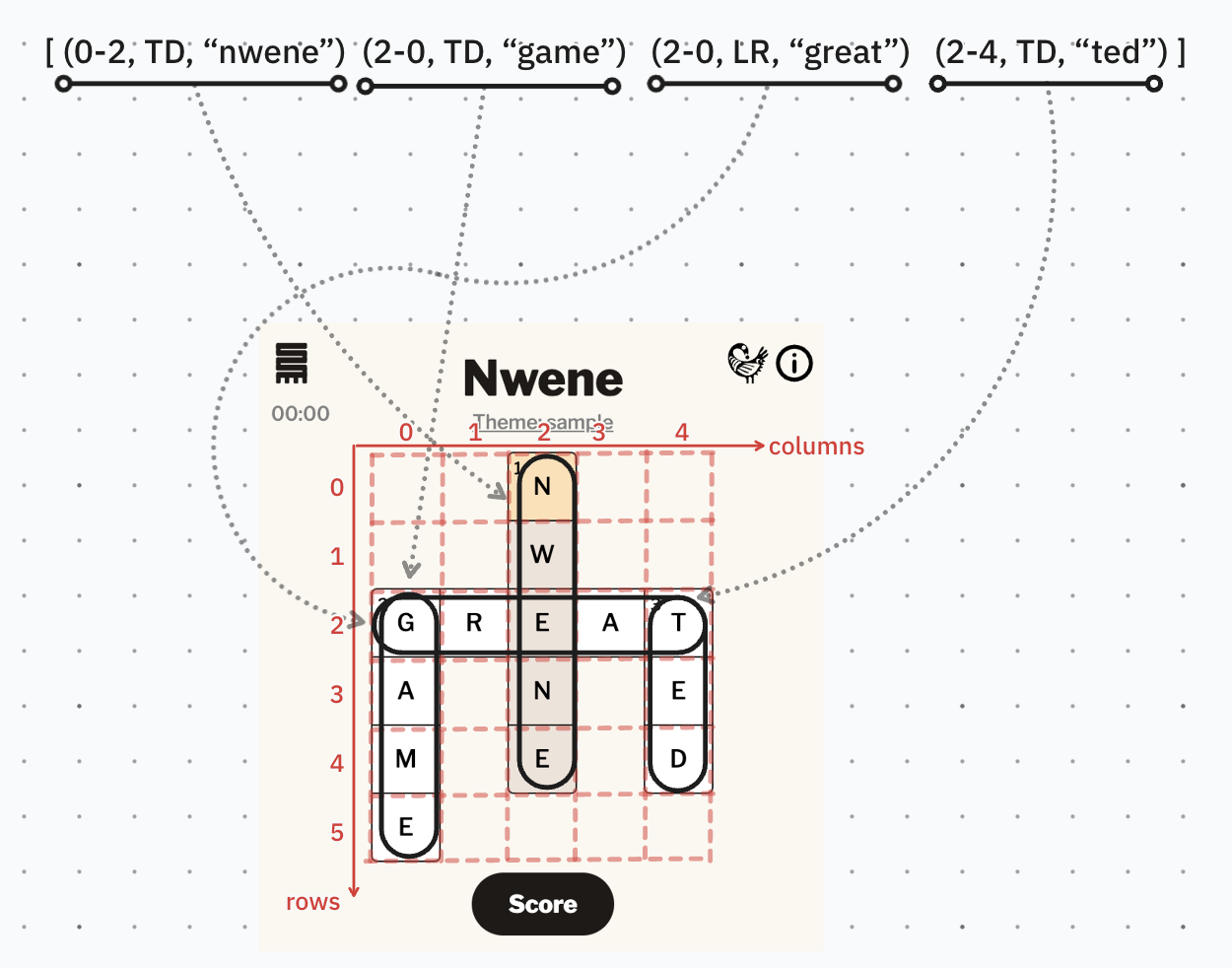
To improve performance, we’ll put just one event listener on the grid, and use the data attributes on each cell’s HTML element to know which one was clicked. This event delegation would prevent creating an unnecessary number of listeners! (if a puzzle grid has 10 rows and columns, we don’t want to have 100 event listeners, no!)
Another performance tip I read about was using document fragments. Instead of adding cells individually to the web page, which may cause the page to re-render with each insertion, I group all the cells together in a fragment and add that fragment to the page only after going through a loop.
Grid Navigation
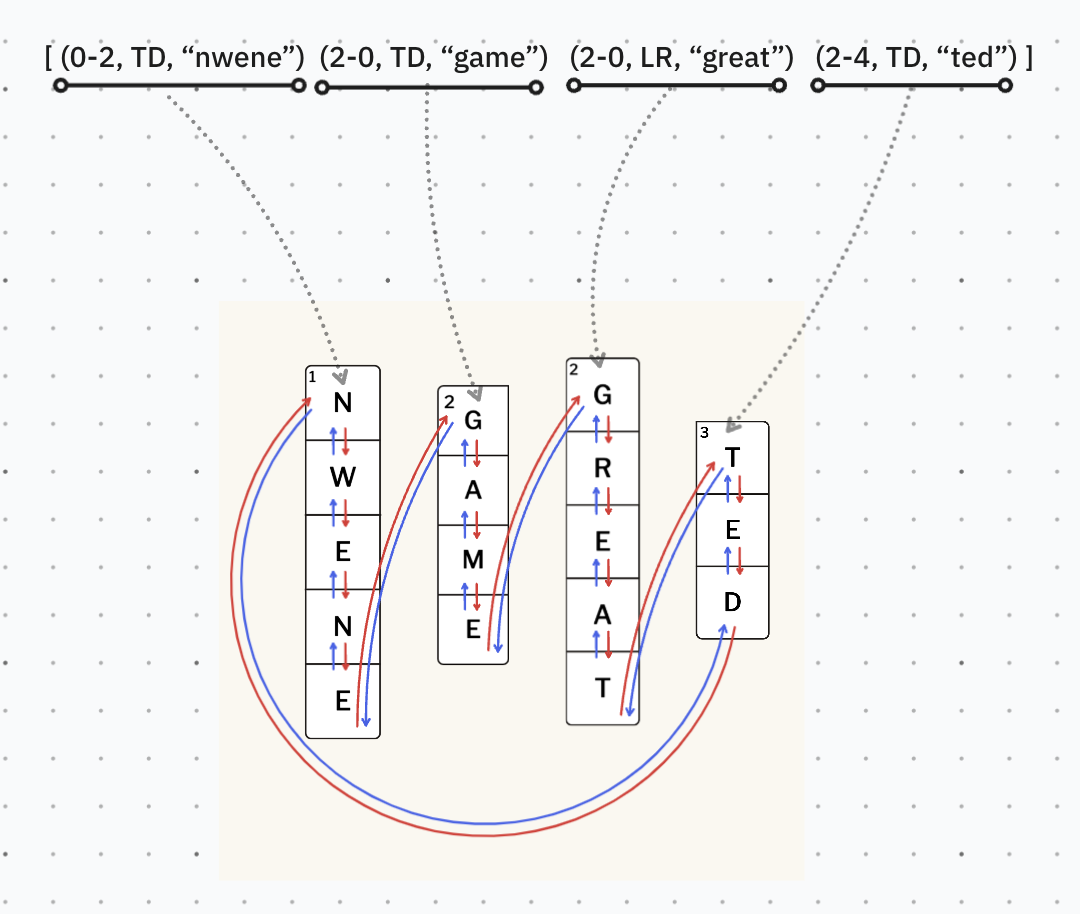
In the “Movement“ section, I explained how the player’s cursor can move both forward and backward (bi-directional) between interconnected cells and words (graph).
One data structure we could use to implement this movement would be a multi-level circular doubly linked list. Ebei! Let’s break it down:
- Linked List: All playable cells (nodes) in each word are linked together
- Doubly: Each cell in a word has a link to the one before it and the one after it
- Circular: The first and last words in the puzzle are connected, so players can go around the whole puzzle. This helps the player to flow.
- Multi-level: Each word has cells that are linked to their neighbours (level 1), but also, the first and last cells of each word have links to the previous and next word (level 2).
Of course, my implementation isn’t as precise and I take some shortcuts. Because the number of elements (words, hints, cells) in a game are fixed, I don’t need to create nodes and links, instead, I can calculate movement positions using their lists and indexes.
Side note: The implementation is still an open “TODO” in my codebase, just for fun, but that wasn’t critical to delivering the game experience.
To make navigation easier for players and help them stay focused, we eliminate the need for them to click on the grid themselves—no spoiling the fun! I implement two features to make things smoother:
- Automatic movement: The cursor glides on its own when a letter is entered or deleted, letting players concentrate on filling cells.
- Skipping filled cells: As the cursor moves, it gracefully skips over filled cells, letting players zero in on the empty ones
Hints Controller
The controller displays hints on the game screen, highlighting the one for the current word. For desktop, it renders a classic list with “Across” and “Down” sections. On mobile, it renders a banner on top of a virtual keyboard with buttons to cycle through hints and words.
Input Controller
The input controller checks the player’s keyboard input, allowing only
accepted letters on the grid. It also implements arrow-key movement for
desktop and filters out modifier keys (like
CTRL+R). On mobile, it renders an on-screen keyboard with only
the characters needed.
Score Keeper + Sharing
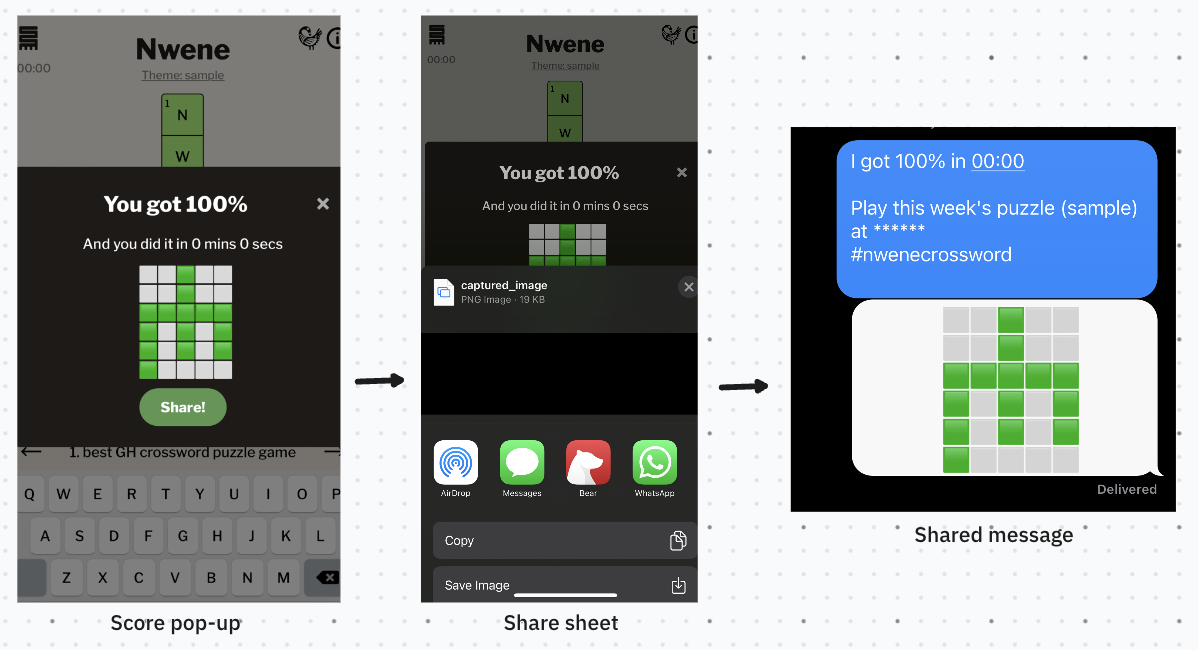
The score keeper scores everything on the grid and makes an emoji replica to share on social media (#nwene #nwenecrosswords). It also powers the share functionality (i.e. share sheet on mobile)
Effects Manager
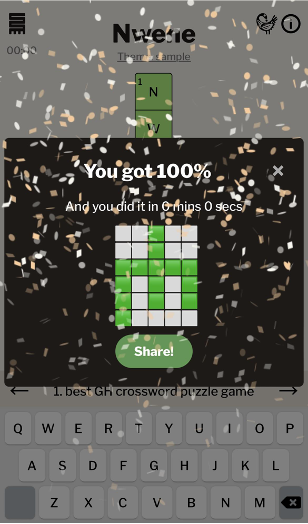
One of the coolest parts of Nwene are the little sound bites it plays at various moments of gameplay. When the player hits the score button, the effects manager treats them to different sounds based on the number of correct answers. To add that extra touch, it throws in some confetti particle effects for that extra oomph. For perf reasons, audio files for these sound bites are lazy-loaded so they don’t slow down page loads.
UI Controller
This manages the game’s styling and UI elements (buttons, modals, etc.)
Styling
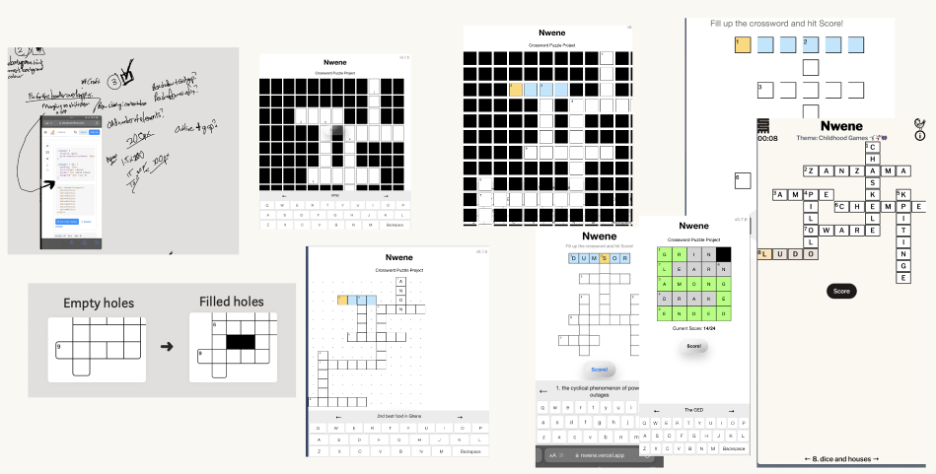
I designed Nwene using vanilla CSS. The main layout uses a CSS grid and I let the grid controller calculate dimensions based on the puzzle’s size and aspect ratios. I saw many CSS quirks during this process, but hey it turned out to be a fantastic learning experience 😆
Sankofa Pop-up
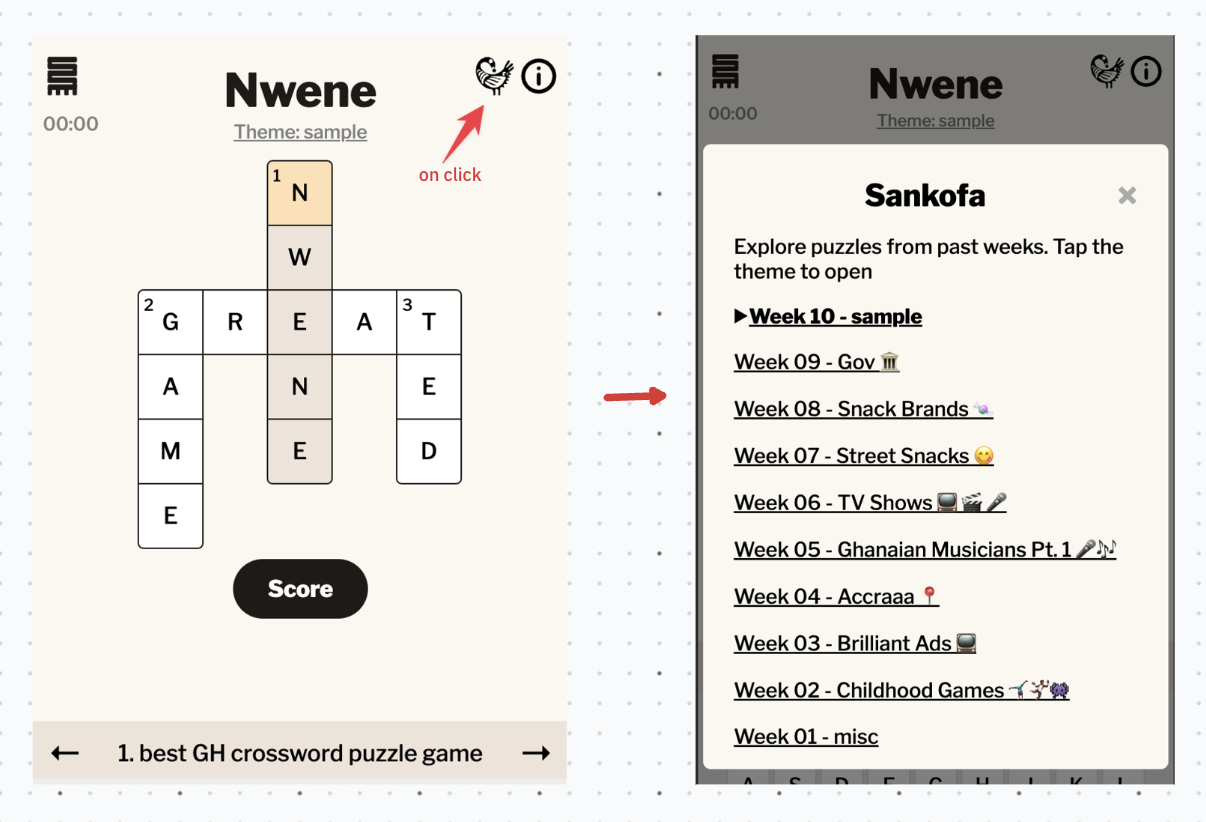
One notable UI element is the Sankofa pop-up. As I shared updates on Twitter, people asked for an easier way to access older puzzles beyond the puzzle of the week. Since then, the UI controller generates a list of puzzles from the manifest on a pop-up and shows this when a player hits the Sankofa button.
Responsiveness
Guessing that most players would engage on mobile, I built Nwene mobile-first, and gradually extended to wider screens. Maintaining a consistent look posted challenge due to the varying aspect ratios and sizes of the puzzles. Also, people accessed the game on different screens and contexts (e.g. Web View, etc.) However, with valuable player feedback, we got something good going.
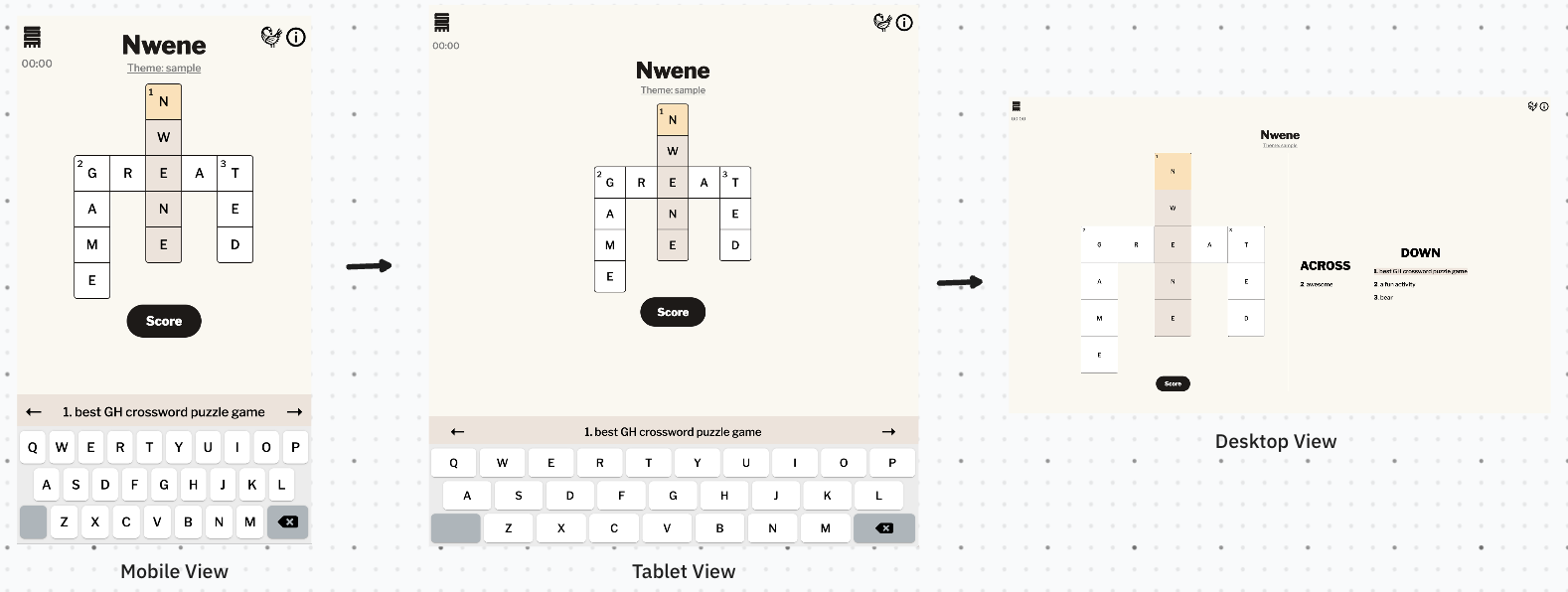
Note: I use extra controllers, such as DebugController, Timer, AnalyticsController, for debugging, timing and data gathering in the game. I don’t think those are particularly interesting and we’re already past 2500 words!
Build
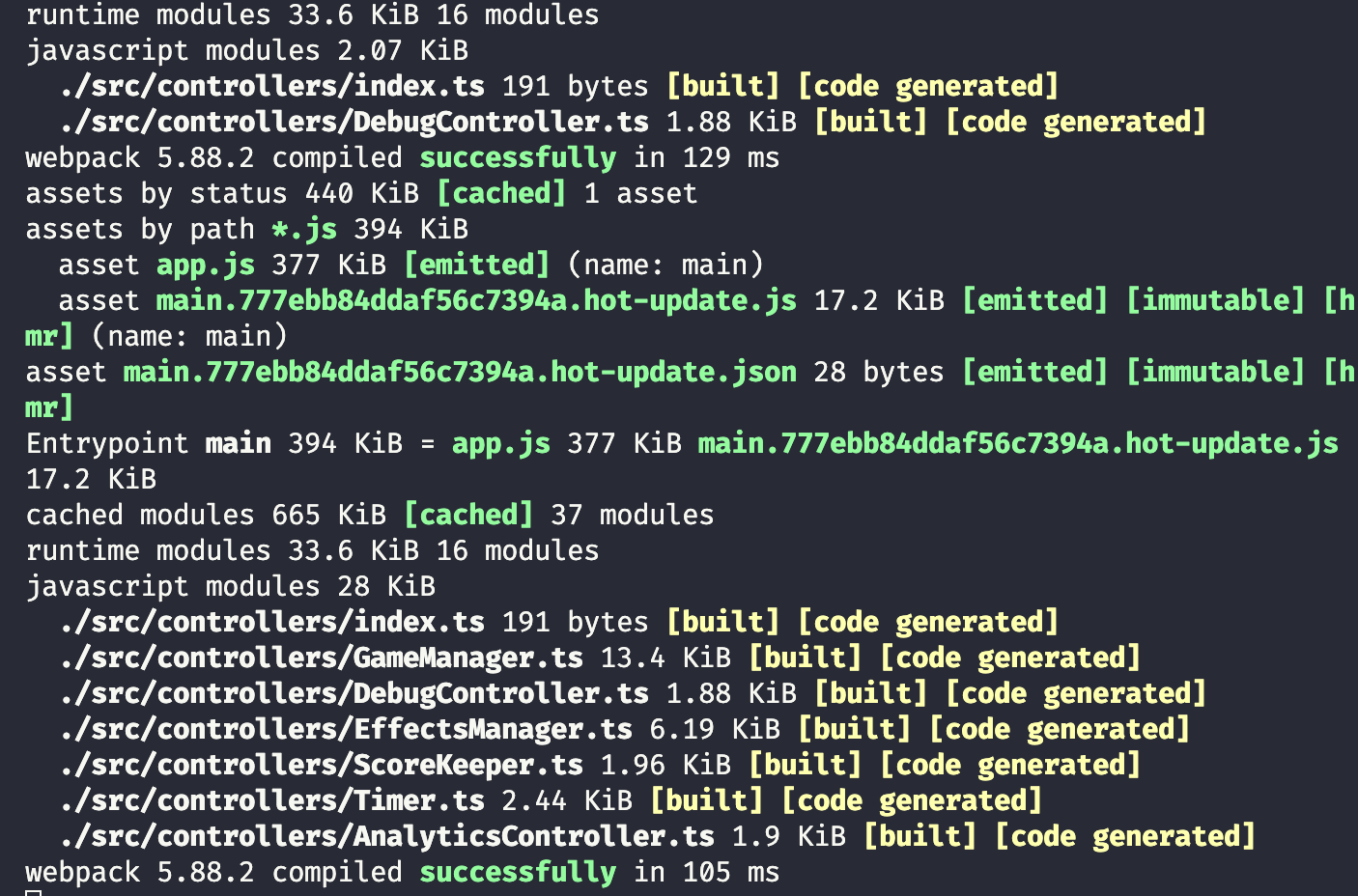
I use Webpack to bundle up all my controller files (TypeScript) into one
app.js file that powers Nwene. Keeping the game’s size small is
key because
data bundles are increasingly pricey in the country. So, I try to trim down on data and external dependencies. For instance, I
had this large on-screen keyboard library, but it proved too large and many of
its features were unnecessary for this case, so I made a smaller, simpler
keyboard that does just what I need.
Some external dependencies, like confettijs and HTML2Canvas play a vital role in the game for scoring and sharing, so I keep those around. In the end, my code makes up just 5% of the game’s bundle size, with external dependencies taking the lion’s share.
Deployment
I deploy Nwene on a static page hosting platform. First, I deploy to a staging environment for testing. In that environment the debug controller makes testing more convenient by automating tasks like auto-filling the grid. After testing, the team and I reviews and ultimately deploy the game to Nwene - Ghanaian Crossword Puzzles
Conclusion
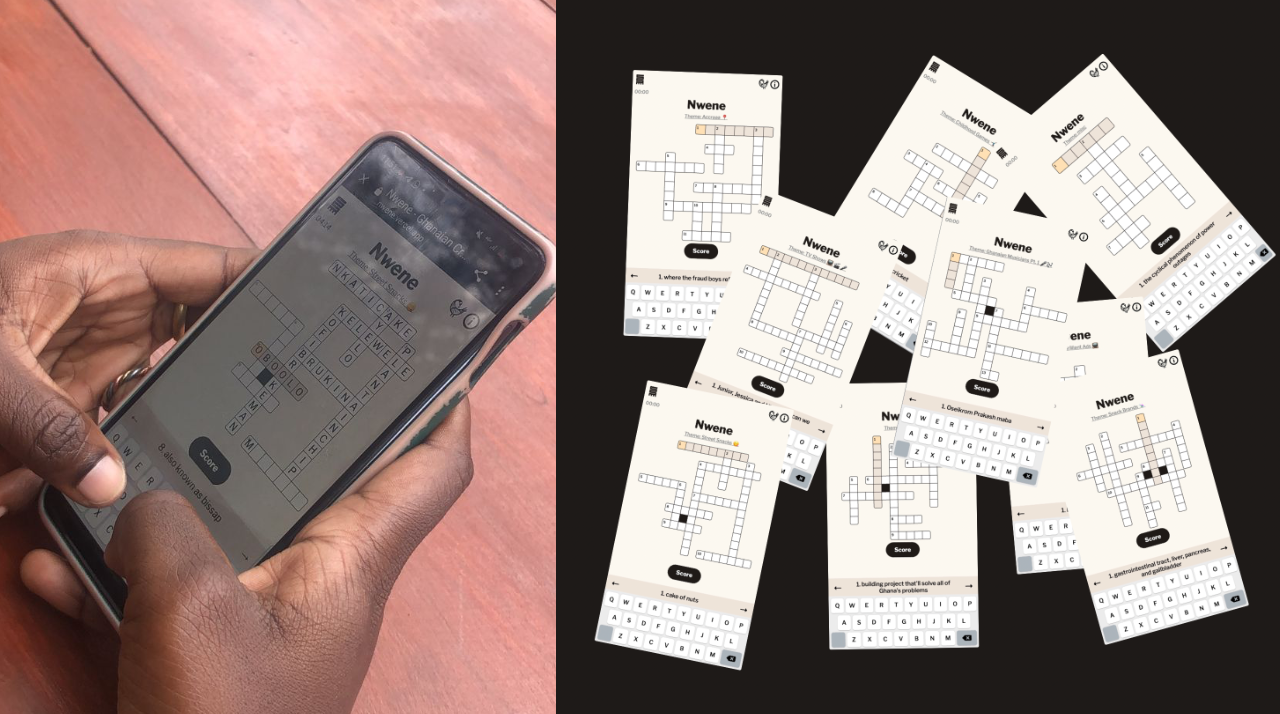
There you have it! Hopefully, you’ve got the scoop on how I pieced together Nwene. Any questions or feedback? Feel free to hit me up! Oh, and guess what? Season 2 is in the works, bringing in new puzzles and cool features! Stay tuned by following our Twitter account.
Credits & Acknowledgements
I’d like to give shoutouts to:
- my colleagues who helped prototype and write puzzles for Nwene season 1 (Abena, Kabuki, Nshira)
- the many people on ‘Ghana Twitter’ who shared feedback as I posted updates on a thread (Ama Tuffet, Deearthur, Naa Lamle, Shawna, Theo etc.)
- Mawuko.eth for helping me kickstart this essay, Isaac Oppong and Kwesi Afrifa who helped review my doc before publishing, and Philip Narteh who asked for this blog post in the first place (hope you enjoyed reading this, Philip!)
- and finally, whoever was in charge of crossword puzzles at Junior Graphic, for bringing some joy to my childhood 😆