How to make a really wide table in LaTeX!
I was working on a literature review for my research class back in college. I needed to make a really wide table to summarize my results in the ACM LaTeX template . Was I using a single-column LaTeX document, it would’ve been straightforward, but this was a double-column document which brought a challenge.
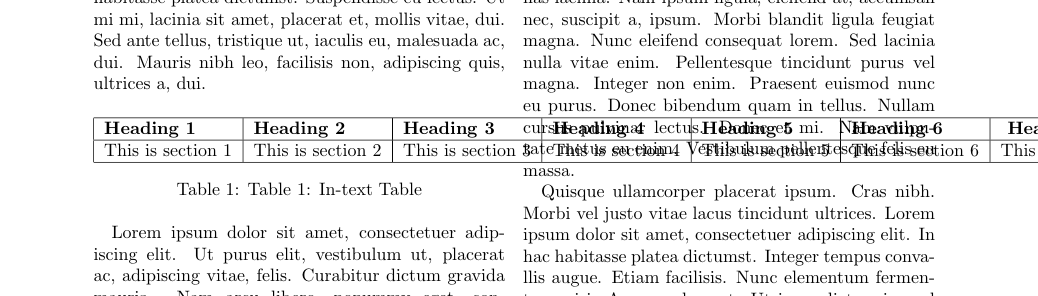
Chances are you’d want to create a wide table in a double-column LaTeX document, and if you use the regular code for a table in LaTeX, you end up with something like this:
After some googling, you’d find this good answer on StackOverflow and get this:
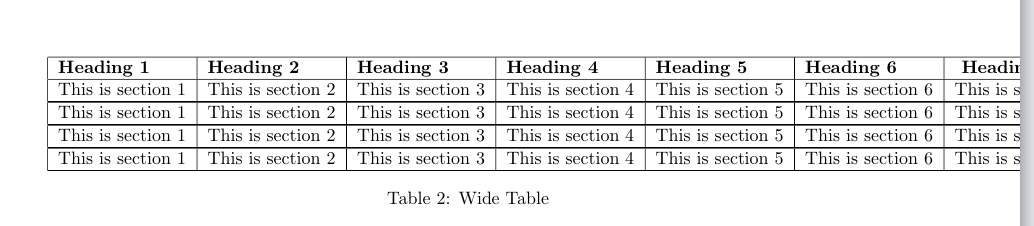
When what you really want is something like this:

To get the really wide table (above) to fit on the page over both columns, you’re going to resize it. The only caveat is that your font sizes will be smaller, which isn’t too much of a problem.
% import the adjustbox package at the top of your document
\usepackage{adjustbox}
\begin{table*}[ht]
\caption{Table Caption}
\centering
% wrap the tabular element in a resizebox
\resizebox{\linewidth}{!}{
\begin{tabular}{ |l|l|l|l|l|l|l|l| }
%
% table contents go in here
%
\end{tabular}
}
\end{table*}
And there you go! Check out this link to get a LaTeX template with all three table types.