Recreating Ghana’s Digital Address System
Demo
Introduction
In 2017, the Ghana government introduced a digital addressing system called GhanaPostGPS, which effectively provides an address for “every location and place in the country”. GhanaPostGPS was built to enhance the delivery of social services (health services like ambulance, fire depart, law enforcement, electricity provision and a revamped postal system)1. The project, of course, targeting a nationwide scale, was estimated to cost $2.5 million2, with $679,409.193 allocated for building the system.
They released a web app you can use to try out the system. It provides addresses for any chosen location on the map.
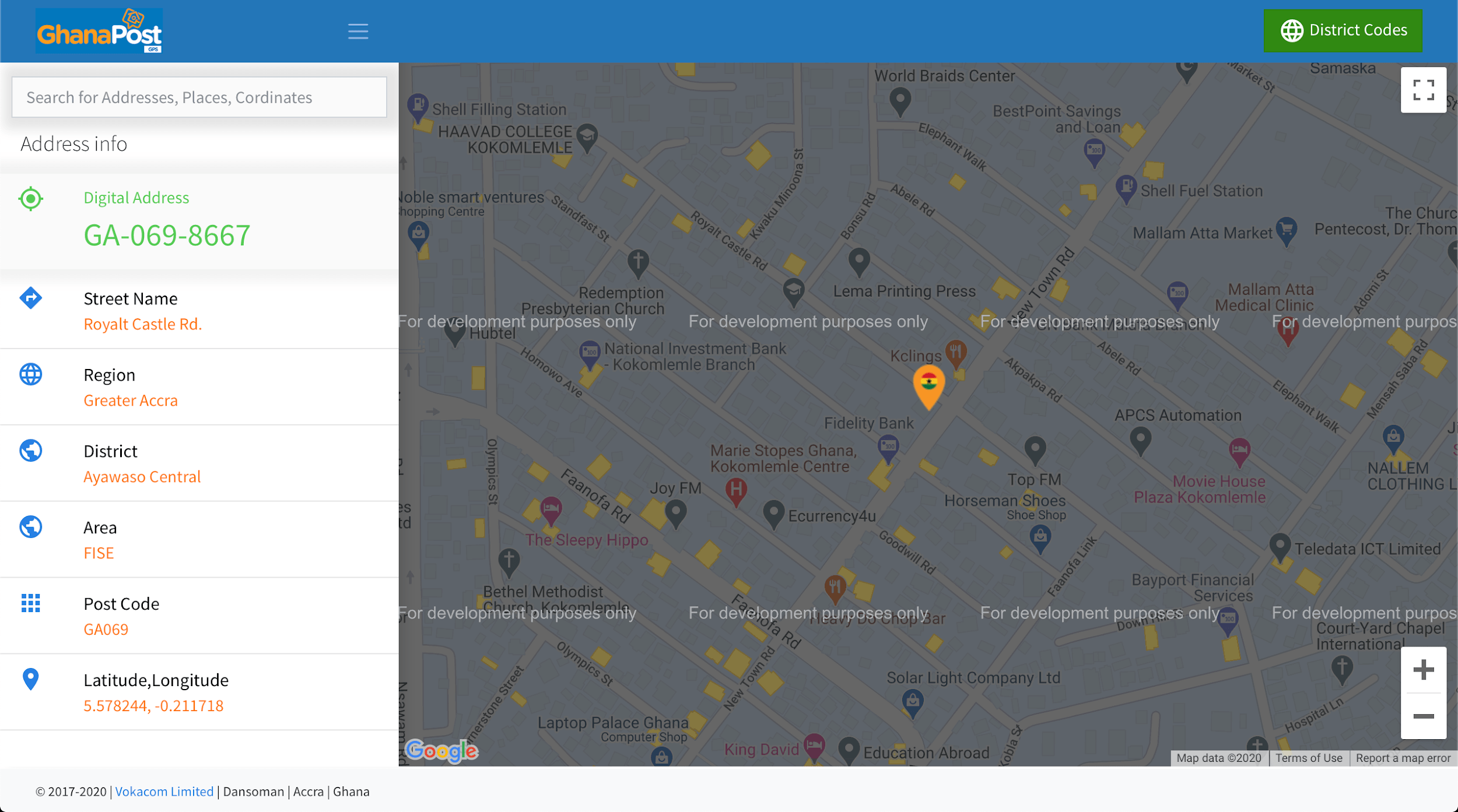
How does GhanaPostGPS work?
The Address
Well, actually, before we begin, let’s see how the GhanaPostGPS works. According to the tabloids, the system gives unique addresses to every 5x5 m area in the country. An example of an address is AK-200-1987.
What does this address mean? First of all, the address is made up of three parts.
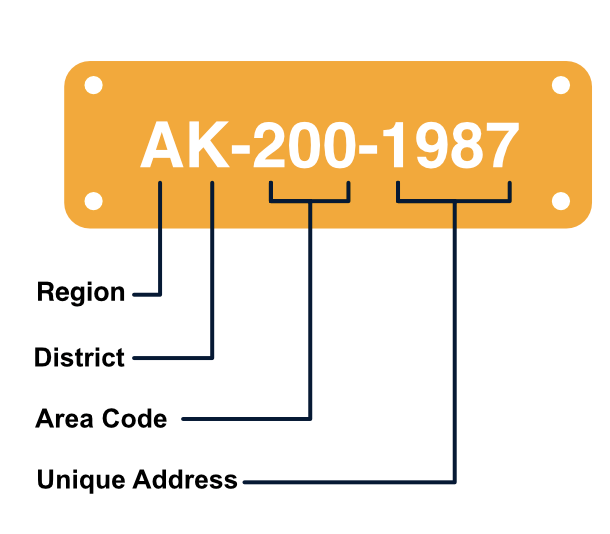
The first part contains two letters representing the region and district of that location, respectively. In this case, A for the Ashanti Region and K for the Kumasi District.
The second part, the area code, is a number representing a 500x500m zone called ‘area’. Each district can be divided into many areas. In this case, the location is in an area with code 200.
The third part, the unique address, is a number representing the very 5x5m zone containing a location. Each location (5x5m zone) is given a unique number to ensure that all addresses are distinct. In this case, the location is an area with the code 1987.
These three parts come together to form what is called the GhanaPost address. How many unique addresses can we allocate to the whole of Ghana? 10 regions * 16 districts per region * 103 * 104 = 1.6 billion addresses, cool!!
Now that we know what the address format is let’s look at how exactly GhanaPostGPS might generate those codes.
The Algorithm
Note: The findings here are reflective of the research I have done (gathered from articles, press releases, and inductive observation from using the GhanaPost app itself), and not from the creators of the GhanaPostGPS system. Therefore, this may not fully reflect how the system works.
Let’s look at how addresses are generated for each part separately.
Part 1: Region and District code
This part is relatively straightforward; each region and district is given a distinct code (a letter) to represent it.
Part 2: Area code
Ugh, now it gets interesting! How does GhanaPost address every 500x500m area in a district? According to this and this, the GhanaPost system uses a “Spiral Matrix Postcode algorithm”4 which refers to the ‘Spiral Matrix algorithm‘. To label (or encode) all areas in a district, the algorithm starts at the centre area (the area containing the approx. centre of the district, with code 0). It traverses around this centre in a spiralling pattern labelling each cell it encounters. It does this until the whole district is covered.
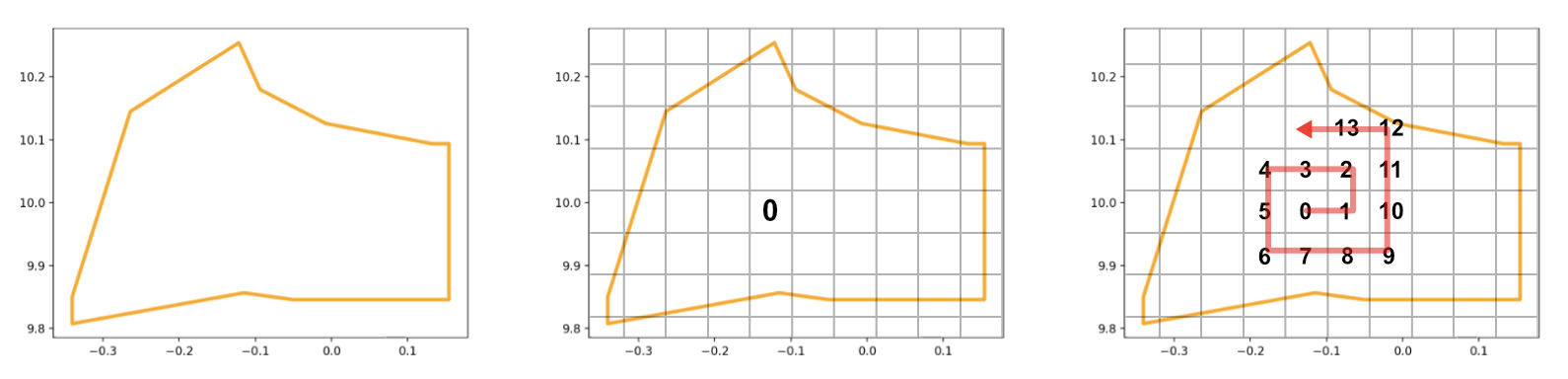
I believe the area code uses three digits because districts are relatively small and can be covered in less than 1000 (103) areas.
Part 3: Unique address / location
What about the unique address for each 5x5m location? How does GhanaPost create codes for them? My response…not sure. There is no public information on how the team created them. My educated guesses range from randomly assigning codes over every 5x5m location to using the spiral matrix algorithm (mentioned in part 2) again but on areas this time.
Whew, that sums up how GhanaPost works i.e how it generates unique addresses for every location in the country. In the next section, we’ll dive right into how I implemented the system and the decisions made along the way to build such a system.
Implementation
Step 0: Data Preparation
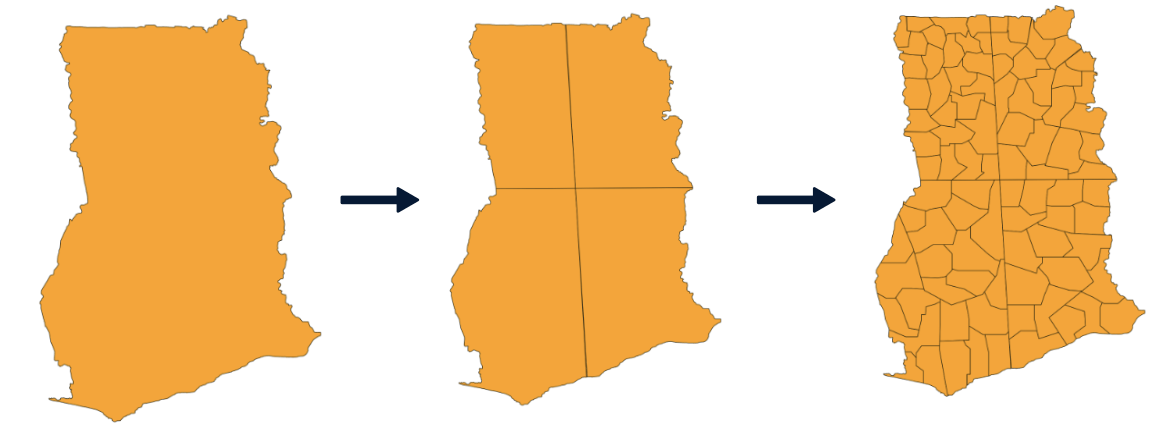
The first step to creating a system like GhanaPostGPS is to obtain geometric information about the country, its regions and districts. Because this project was experimental, I chose not to work with the country’s administrative regions and districts, but instead created fictional ones with the help of my little siblings. We pretended to be naive5 European leaders in the 19th century6 and divided the country anyhow we pleased.
The country’s geometric information (shapefile) was downloaded from the Humanitarian Data Exchange and manipulated using the open-source software QGIS. I used QGIS to split up Ghana’s polygon into four (4) region polygons and further into ninety-four (94) district polygons. After which, we (my little siblings & I) named each region and district using the power of our imagination -you might see weird names as a result because there was no editing process-
After the fabrication creation process, I wrote a
python script
to export all the features (district & regions) and their geometric
information (polygon coordinates, centre points) to individual GeoJSON files.
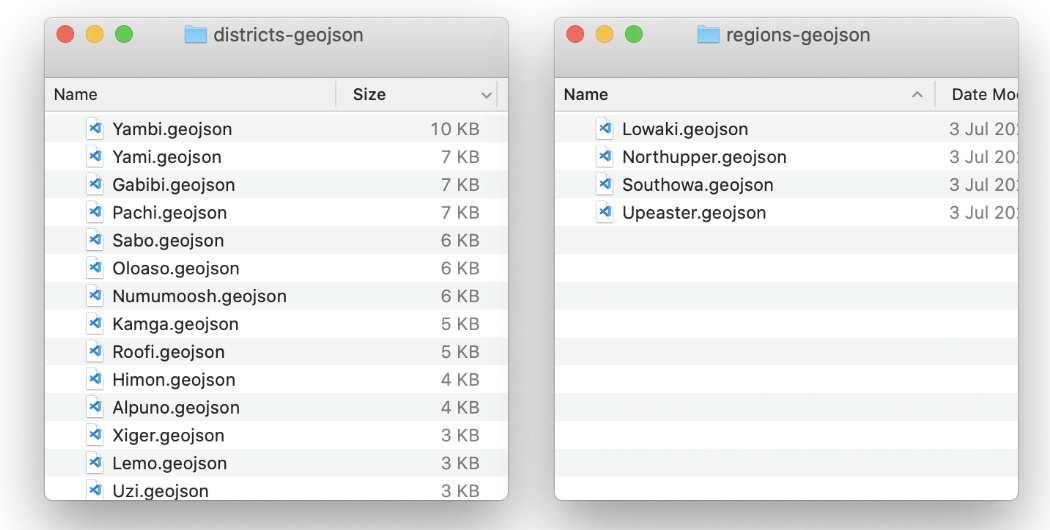
Now that we have created the geometries for the country’s regions and districts, we proceed with generating addresses for all locations in them.
Step 1: Address Generation
Part 1: Region and District Code
The codes for regions and districts should ideally be pre-determined and stored in some mapping data structure like Python’s dictionary where names will be keys, and their respective codes will be the values. But for this project, I went along with using the first letter of regions and districts names to represent them (therefore, no need for storage).
| Region | District | Region and District Code (combined) |
|---|---|---|
| Lowaki | Edan | LE |
| Southowa | Dabumbum | SD |
| Northupper | Dulolo | ND |
| Upeaster | Tipo | UT |
Part 2: Area Code
Earlier, I explained that GhanaPost used the Spiral Matrix algorithm to label areas in a district. It’s well suited for quadrilateral cells (GhanaPost uses a square grid). In this recreation, I used a similarly hierarchical (multiple-level) grid system but with hexagons instead of squares. I used Uber’s H3 spatial grid index because it was easily accessible (compared to the quadrilateral alternative). Since hexagon grids cells have six edge neighbours instead of four, I had to use a different approach to spirally traversing areas in a region.
I used a Breadth-First-Search approach that starts at the centre cell of the district and ‘spirals’ outward until the entire district polygon is filled with area cells. The simplified pseudocode is as follows:
# Initialization
queue = Queue()
area_code = 0
Find the centre of the district, C(x,y)
Get the grid cell G₀ that contains this centre point
Add G₀ to queue
While queue is not empty:
  Gₙ = pop the next item from the queue
  Label Gₙ with area_code
  area_code += 1
  Get all the neighbors of grid cell Gₙ
  Add only the valid neighbors to queue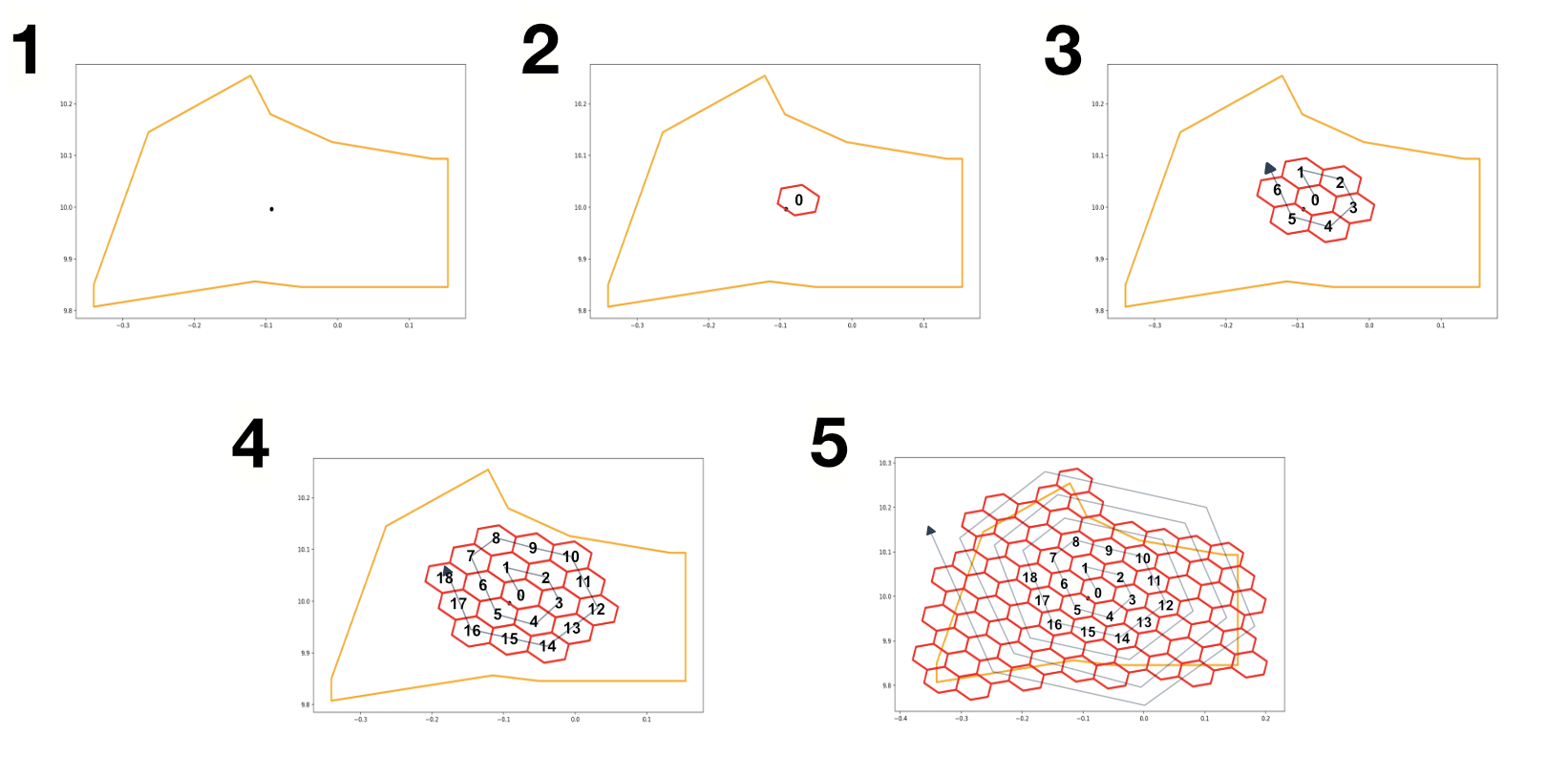
Part 3: Location Code / Unique address
Earlier, I explained that areas (500x500m zones) contain much smaller locations (5x5m zones). Since areas and locations are at different resolutions (sizes), a hierarchical grid system in relating the smaller grid cells to their larger parent cells.
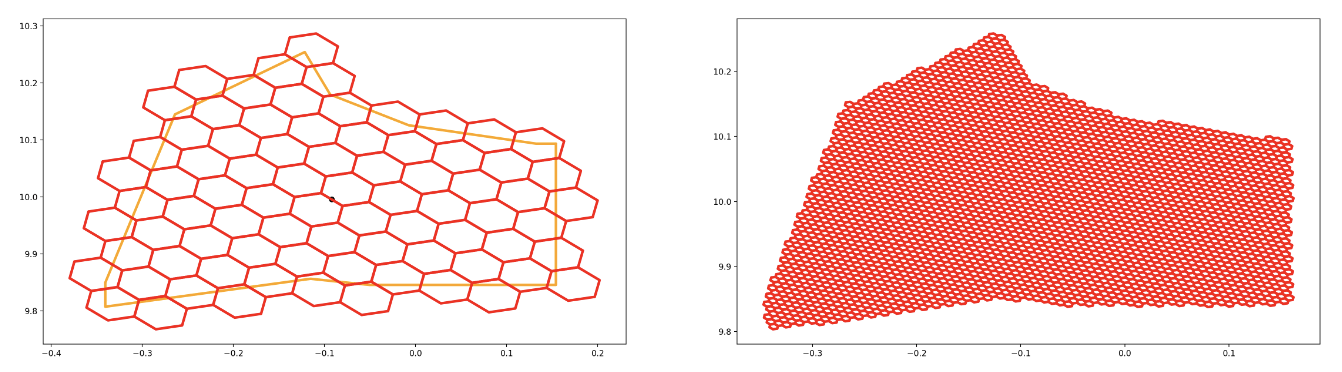
To generate codes for locations, I used the same BFS spiralling algorithm for each area but at a smaller resolution (grid cell size) to correctly represent locations.
Part 4: Storage
The labels/codes for the areas and location cells in each district were stored in a simple SQLite database using the following schema (like a nested JSON):
{
    [district_name]: {
      [area_cell_address]: {
        id: int,
        children: {
          [unique_cell_address]: {
            id: int
          }
          ...
        }
      }
      ...
    }
}
Because this project used larger regions (four massive ones) and fairly-sized districts (ninety-four), I had to switch up the format of the address to accommodate the larger number of areas per district (in the thousands). So, for area codes, I used four digits to represent rather than three, and for location codes (unique address) I used three digits instead of four. The next address format was: XX-XXXX-XXX
At this point, every location in the country has been correctly addressed. Next was finding out how to fetch these addresses given a user’s location.
Step 2: Coordinate Mapping
Great, at this point we have a ~700MB datastore containing area codes and unique location addresses for every district, waiting to be used. Say someone at Accra Mall, waiting for their date to show up, wants to check this system for their address, how would we know what the address is?
Primarily, we’re looking for a function f that takes in GPS coordinates, x (latitude), y(longitude) and outputs an address A.

The process of fetching the address for any given GPS coordinate is as follows:
- Find which region and district it falls in and fetch their codes (first letters)
- Find which area and location it falls in and fetch their codes from the datastore
- Return the address by combining outputs from (1), (2)
1. Find the region and district that contain the GPS coordinate
How do we find which of the 94 districts contains the input GPS coordinate?
Option A: Go through every district (polygon) one by one and see if the GPS coordinate ‘fits in’
Option B: Use a tree-like index structure to check only a certain number of possible regions to see if the coordinate ‘fits in’
Which option would you pick?…*click*…fantastico! Option B, because it’s much faster. Even though both options are correct, option two is more efficient. Option A, in the worst-case scenario, will check all n districts (94), but Option B will check max 29 districts!
The tree-like structure used in this project was the RTree, a data structure for very efficient spatial queries. Fortunately, the library used to read the GeoJSON datasets for districts and regions (GeoPandas) has an in-built in-memory implementation to perform Option B.
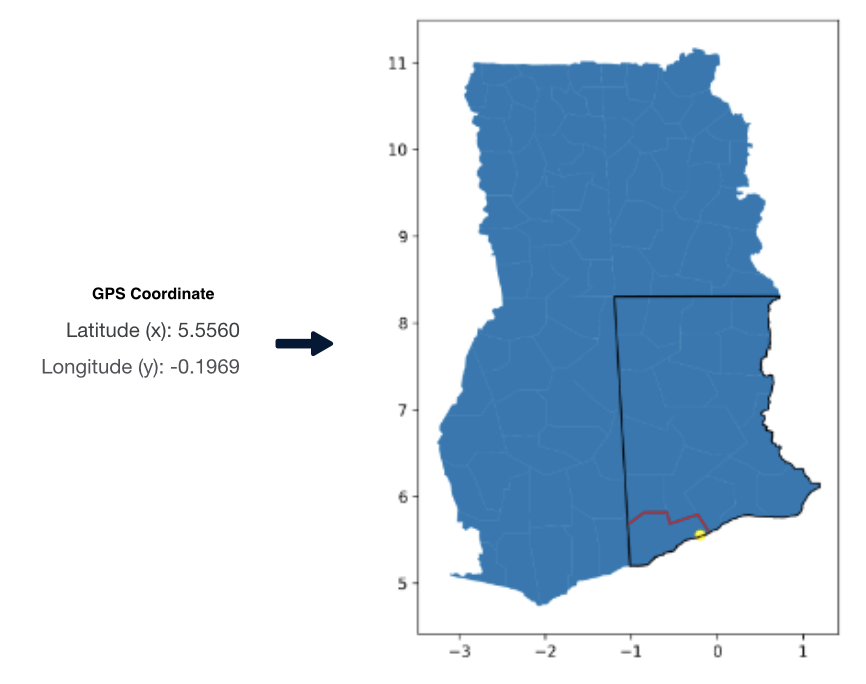
In this example, the person (yellow spot) was in the Numumoosh district (red border) of the Lowaki region (black border), resulting in the codes LN.
2. Find the area code and location code (unique address)
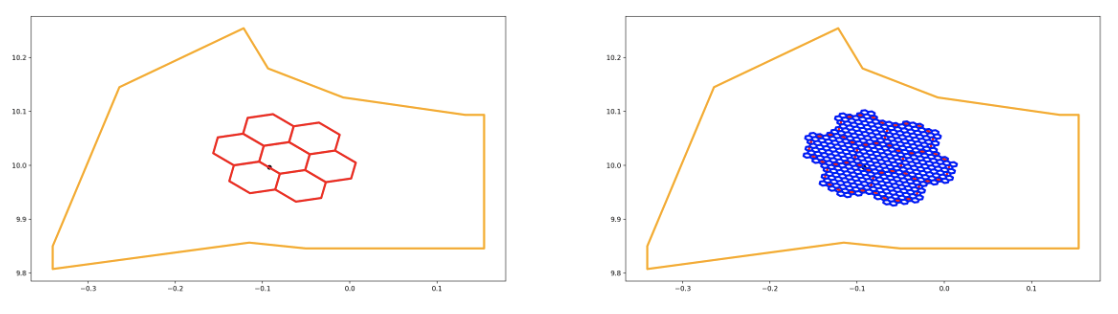
Area codes and location codes (unique addresses) were earlier stored in an SQLite database in a nested JSON structure and tagged by their grid cell addresses. So, to find the corresponding area and location codes, we ask the grid system for the grid cell containing the input GPS coordinate at the area resolution and location resolution. We then query the database for the codes associated with these grid cells.
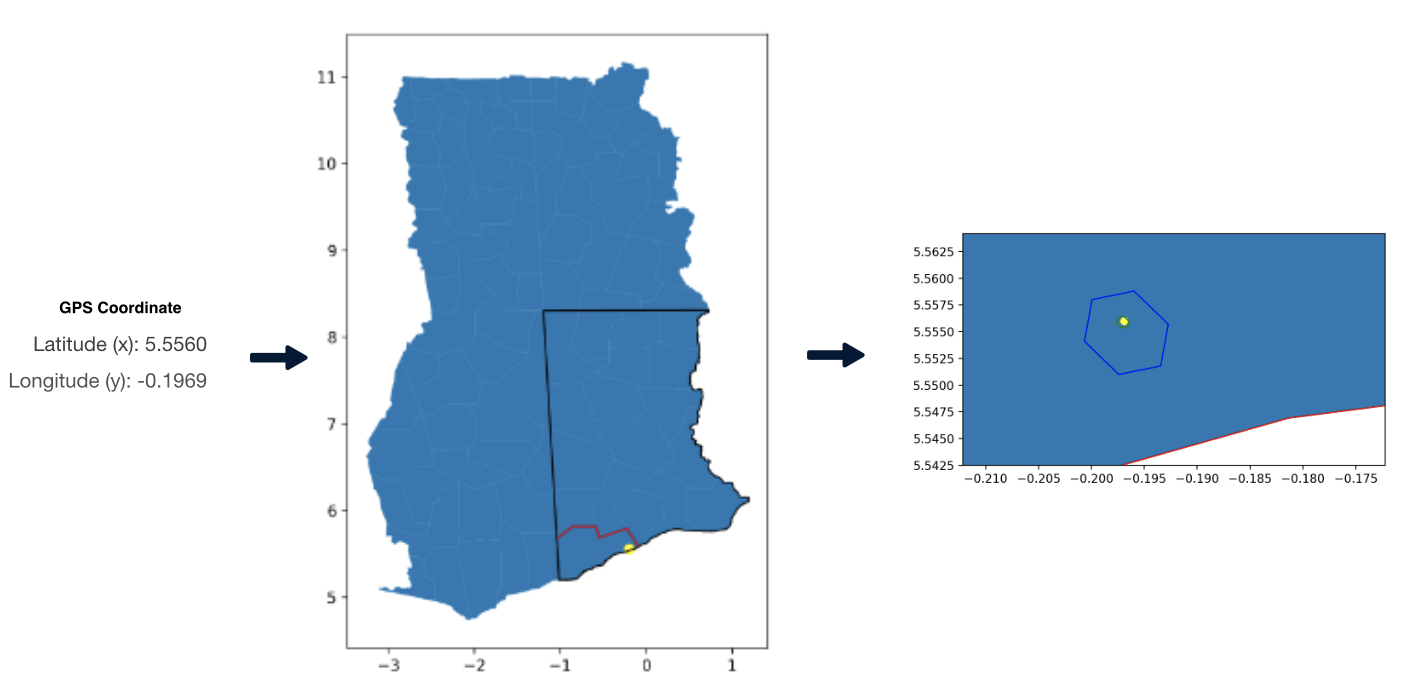
Find the code for the area cell (blue hexagon) and location cell (green hexagon)
In this example, the database coughed up 7915 for the area code and 002 for the location code/unique address.
3. Put them all together!
Now combine each component from step 1 (LN) and 2 (7915, 002) and voila! The final address!
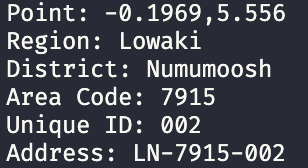
The final address for this person in Accra Mall is LN-7915-002. Hopefully, their date shows up.
With core functionality complete, we move on to building the application users would interact with in this next section.
Step 3: Application Development
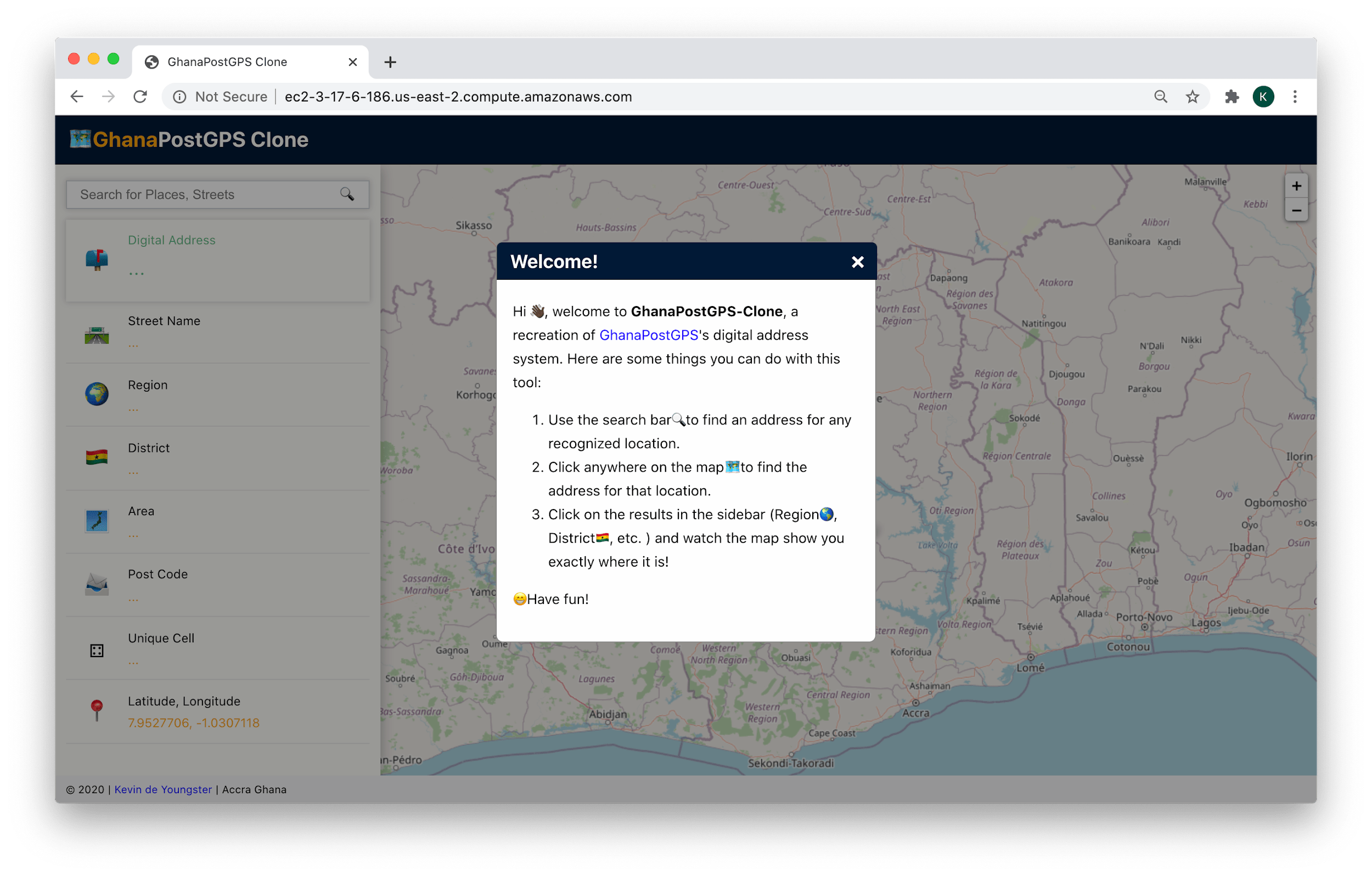
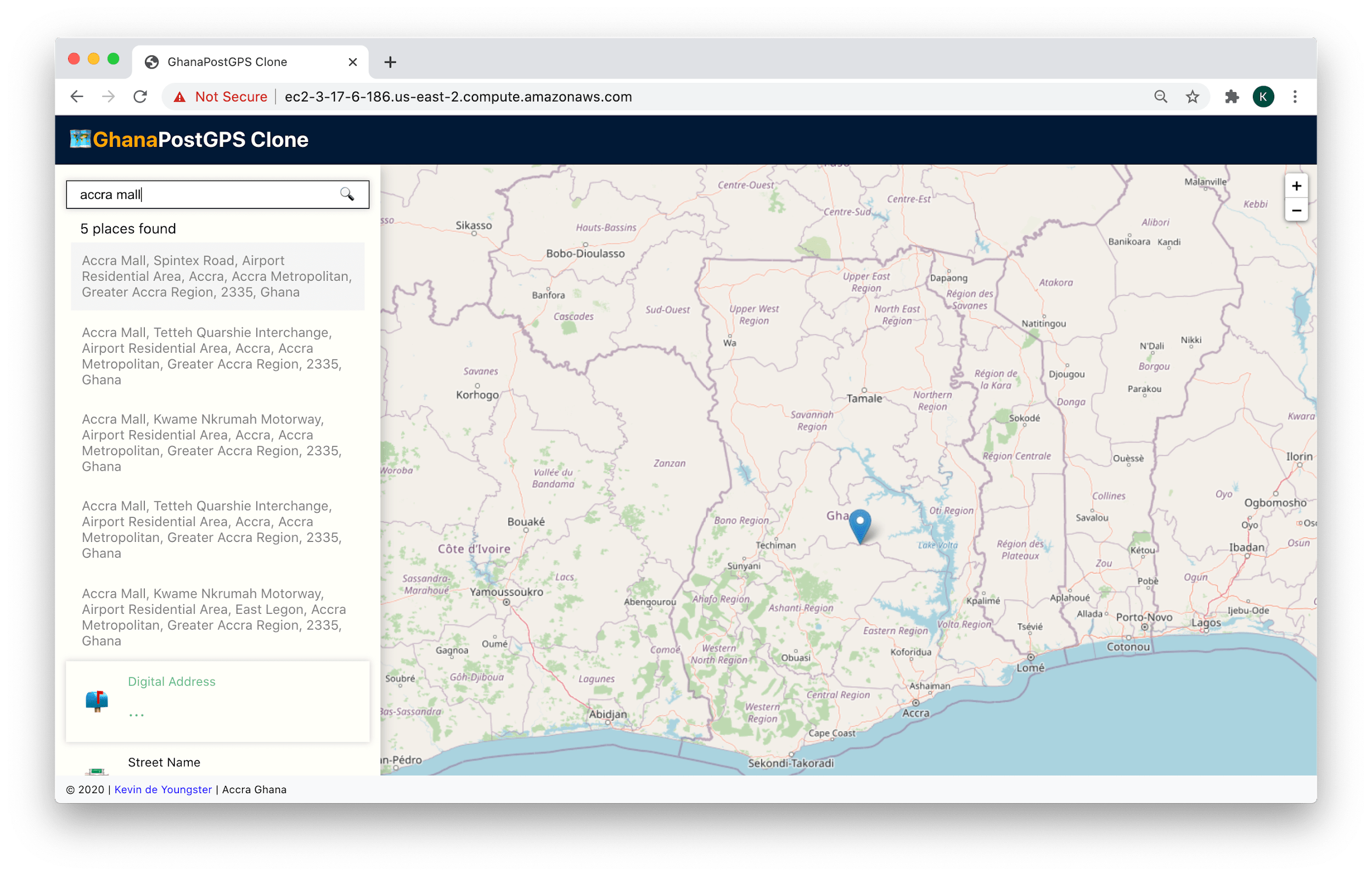
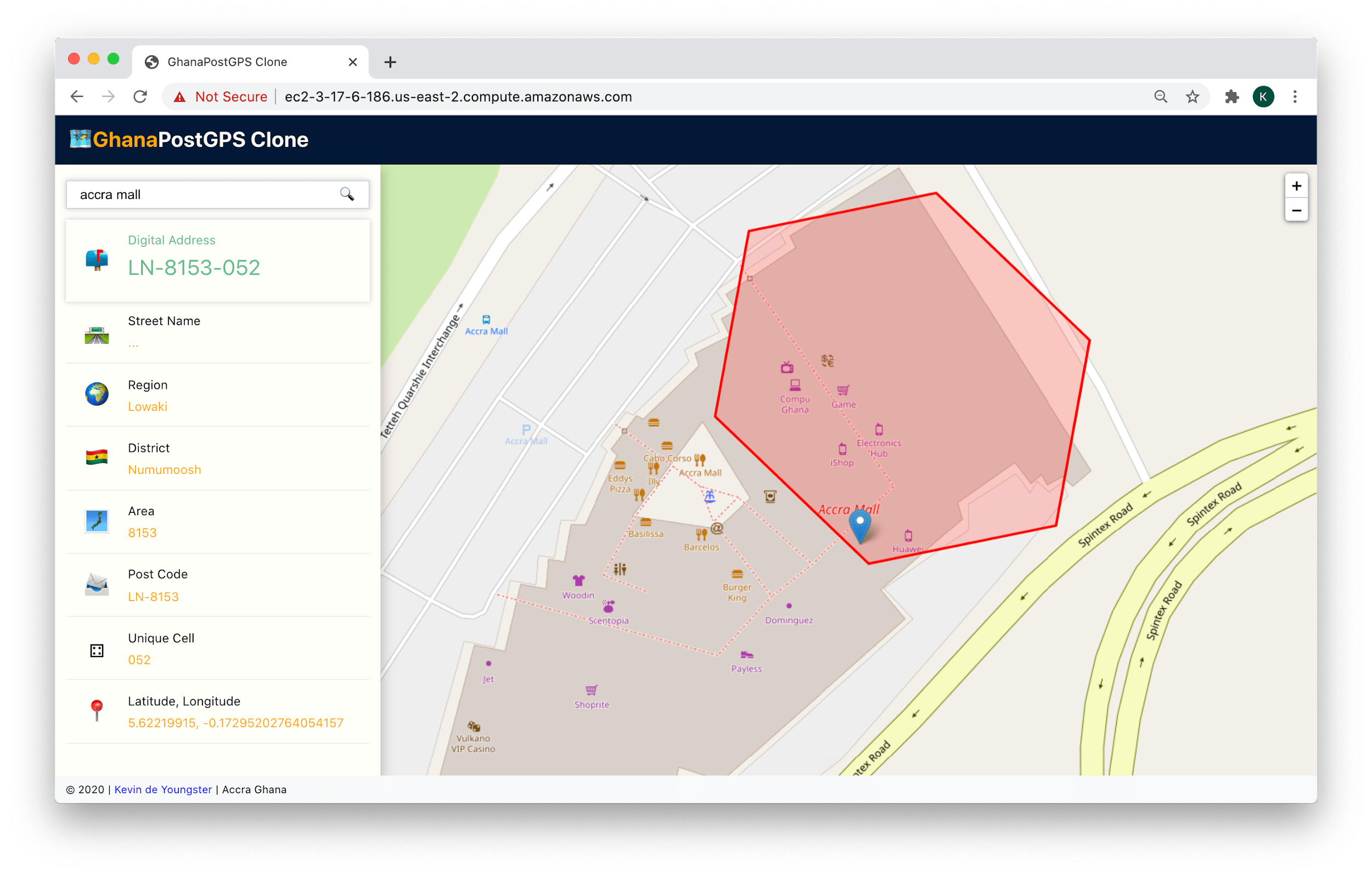
To demonstrate the solution, I built a replica of the GhanaPost web app. Since the language used so far was Python, I decided to make a minimal backend server ‘around’ it. I chose the minimal Flask framework because there were only three endpoints needed for the app (one to serve the frontend, one to return unique addresses for GPS coordinates and the last to generate search suggestions using geopy’s geocoding abilities).
The front end was built with React.js library because why not? (I needed an opportunity to brush up on that skill) and Leaflet library was used to render the maps from OpenStreetMaps.
Screenshots:
Conclusion

There you have it; that’s how I ‘recreated’ GhanaPostGPS, Ghana’s National Digital Address System. I hope this was insightful for you. If you have any comments or questions, feel free to hit me up 🤗. Also, if you are from the team that built this system or work in the geospatial industry, I’d be very excited to hear from you!
Acknowledgement
I give shout-outs to my friends Oracking, Jean-Sebastien and Boham for taking the time to review this write-up and my little siblings for naming the regions and districts 🤗. Thanks to all the articles that helped me understand bits and pieces of GhanaPost, especially Adiamah’s. Final appreciation to all the software engineers who work together to build and maintain open-source projects, without which this project would not be possible; thank you all.
Disclaimers
I do not work in the geospatial industry and therefore do not have expert knowledge of geospatial analysis. This recreation was made from research and deductive reasoning. This is not a trivialization of the actual system, which demands meticulous attention to detail (and, of course, has its weaknesses). Lastly, this is a prototype, and its applications (backend and frontend) were not made for scale; please abeg.