Ep 38: Levelling up Gogomi
Simpler onboarding, finally!
Imagine you’re excited to show someone a cool new app, but then have to follow it up with “…and here’s all the extra stuff you need to set up”? That was Gogomi’s reality for a while. I’d find myself saying, “Hey, I’ve made this awesome app for your walks!” only to then awkwardly add “…but first, you’ll need to download these other apps and configure some custom API endpoint”. Not exactly the smooth introduction I was hoping for.
“Find the dependencies — and eliminate them”, they say. For the past month, I’ve been working on something exciting for Gogomi: direct HealthKit integration that eliminates all those extra dependencies (this way the app’s able to get walk workouts directly, no need for third-party app).
The HealthKit integration was straightforward enough, but then came the fun part: building a sync system that wouldn’t fall apart the moment something weird happened. Weird things always happen in the wild like: walks getting sent at the same time (duplicates), syncs failing halfway through or network errors, etc.
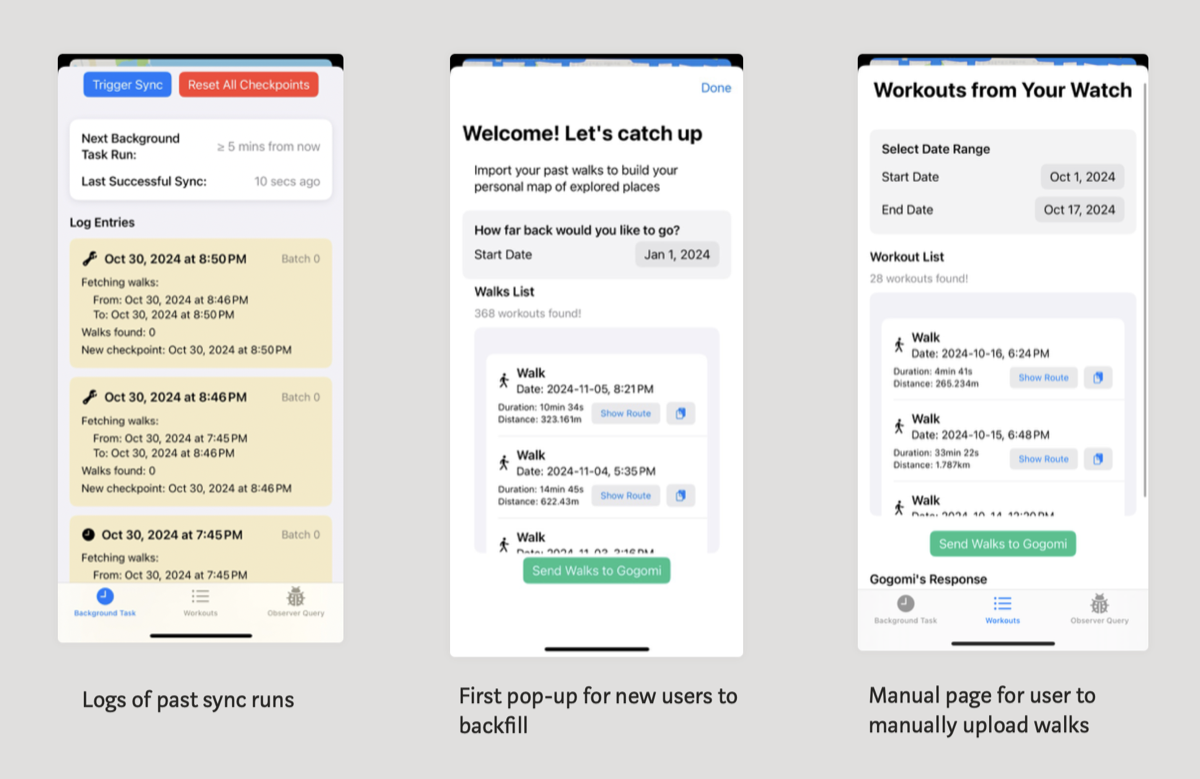
Thanks to diligent testing from early Gogomi users, we’ve ironed out those wrinkles one by one. The result? A much smoother experience with automatic background syncing, an onboarding view for importing past walks, and a manual sync option for those occasional edge cases.
Interface improvements
Gogomi worked out great as my personal walking assistant back in June, but transforming a solo project into a shared experience? That opened up a whole new world of challenges.
Soon my cosy little data system had to handle multiple people tracking walks concurrently. I dove into the whole iOS TestFlight system and learned more about iOS app distribution than I planned to, and wrestled with real-world service issues like keeping the app and backend server’s data models in sync whenever the API changed.
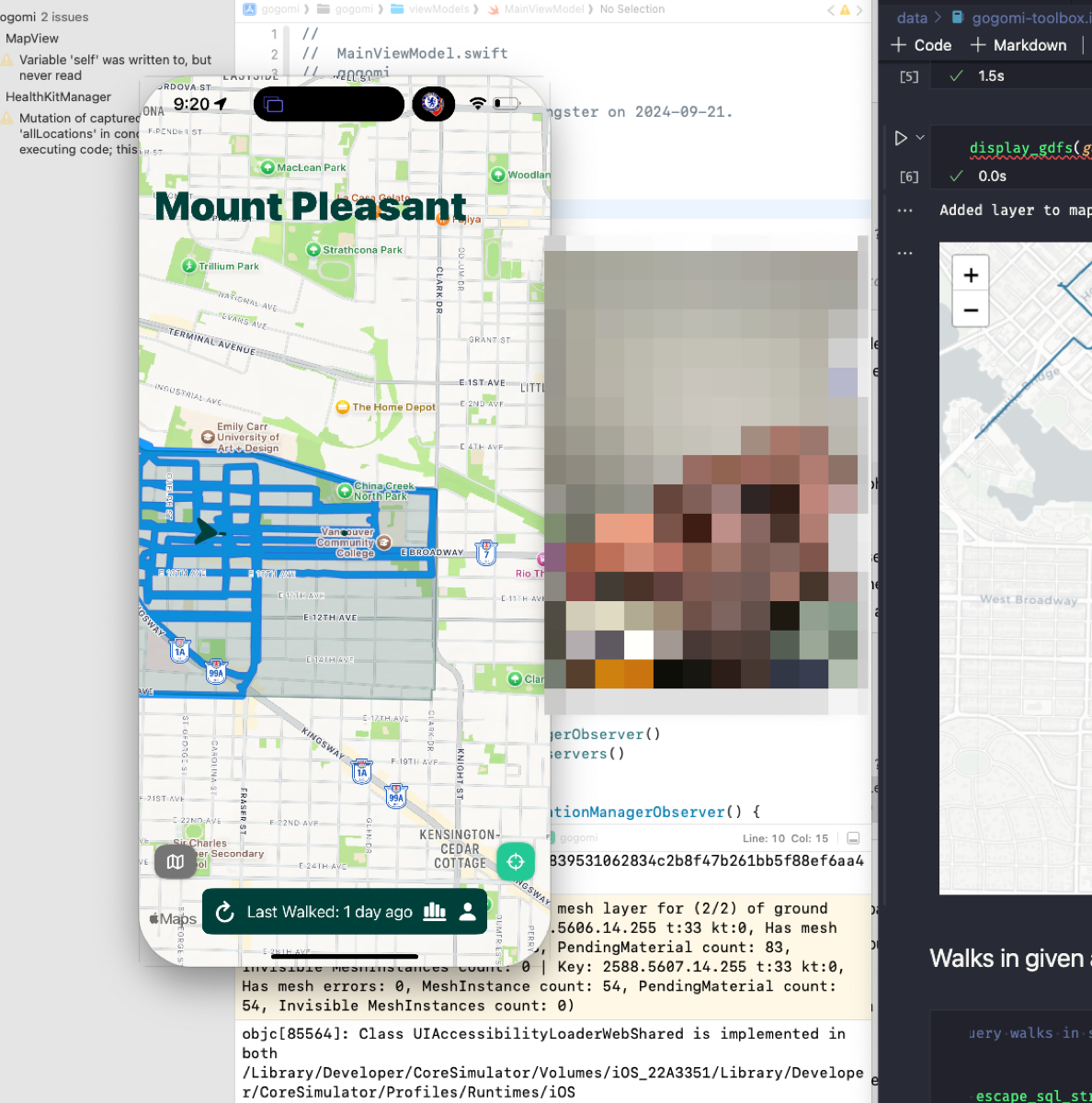
The most rewarding part of all this was working directly with users. Every FaceTime call and feedback session revealed new insights into how people actually use Gogomi. Map interfaces are particularly tricky, I’ve learned—there’s always a delicate balance between functionality and cognitive overload.
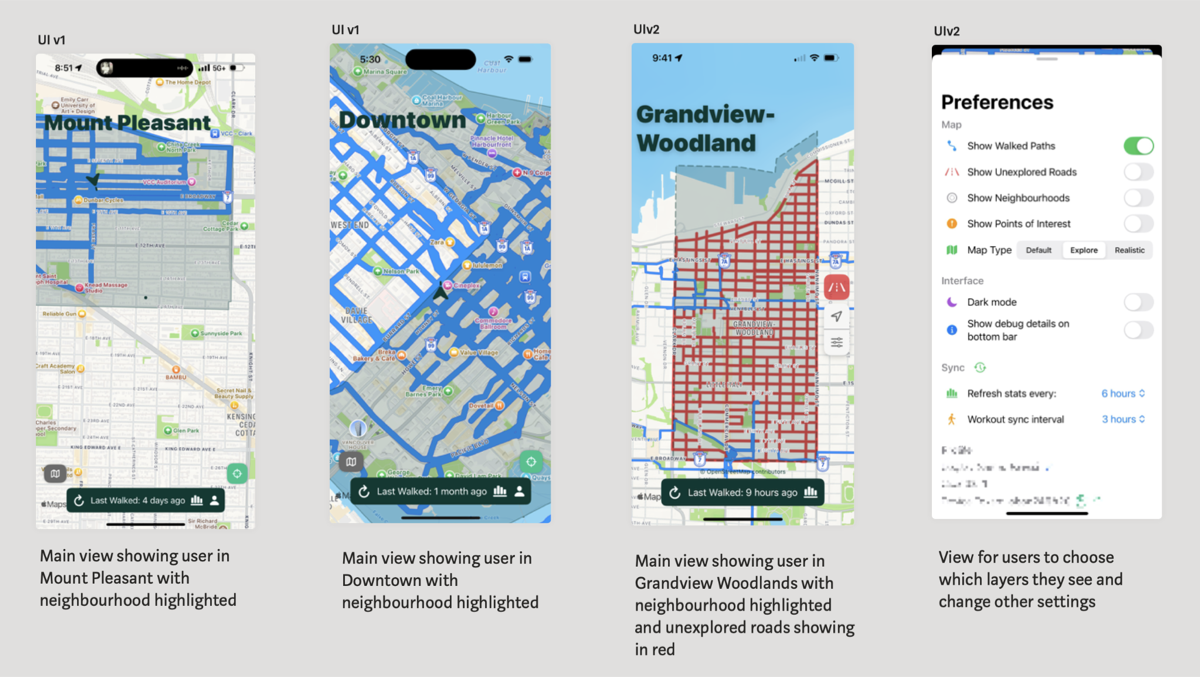
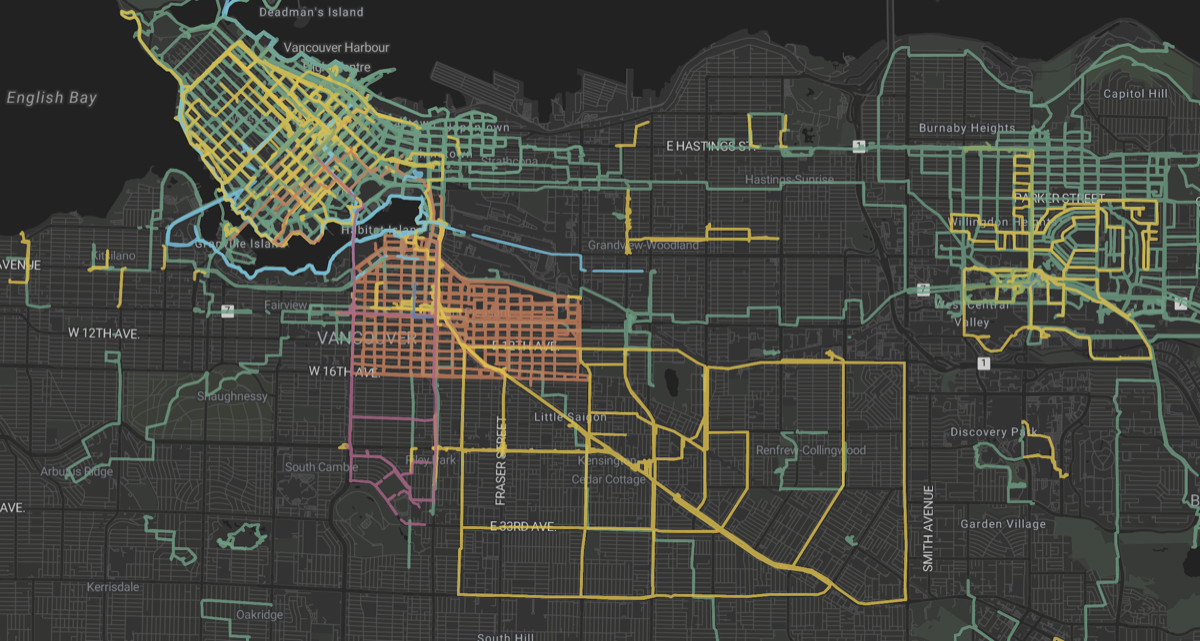
One of the discoveries was that while I enjoyed exploring the entire city—I literally have a whole blog dedicated to it—most preferred focusing on their neighbourhoods. So, I made some updates like neighbourhood highlighting to help people keep track of their area while using the map, and added map controls so they can customise which layers show up.
3. New Wormery
Oh, and finally, made a change to the wormery (the shared map where everyone’s walks show up), switching to MapLibre for rendering since it was the free option. While setting it up, I see lots of new walks popping up from testers!