Ep 14: DIY Mapping - Adding Burnaby Coverage to Gogomi
The Problem
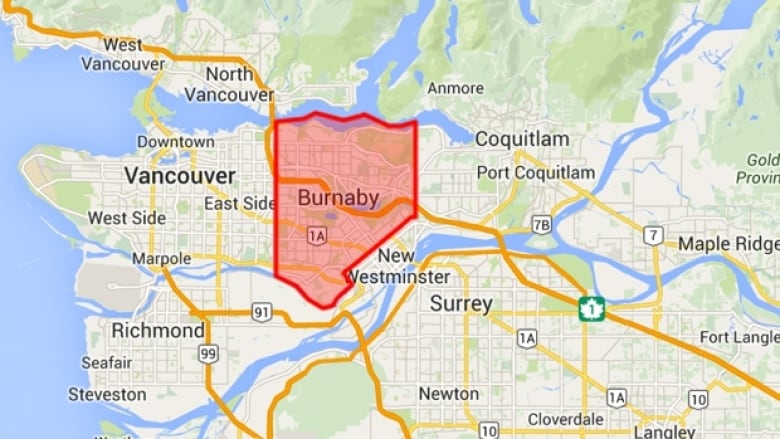
My recent expedition from Brentwood to Metrotown was fun, but it highlighted a glaring gap in Gogomi. While Gogomi could track my coverage in Vancouver’s neighbourhoods, it was blind to my Burnaby escapades.
After that trek, I was bummed to see no notifications or stats about my coverage in the city. It was clear: time to add support for Burnaby. But to do that, I needed data on the borders of Burnaby’s neighbourhoods.
Quest for the Data
To bring Burnaby into Gogomi, I needed to get the geospatial boundaries (polygons) for Burnaby’s neighbourhoods and the road networks within each. Sounds simple, right? I wish!
I first went to the internet, hoping to find an open data platform like I did with Vancouver. Nothing. The closest I found was this Community Plan map from Burnaby’s Open Data Portal:
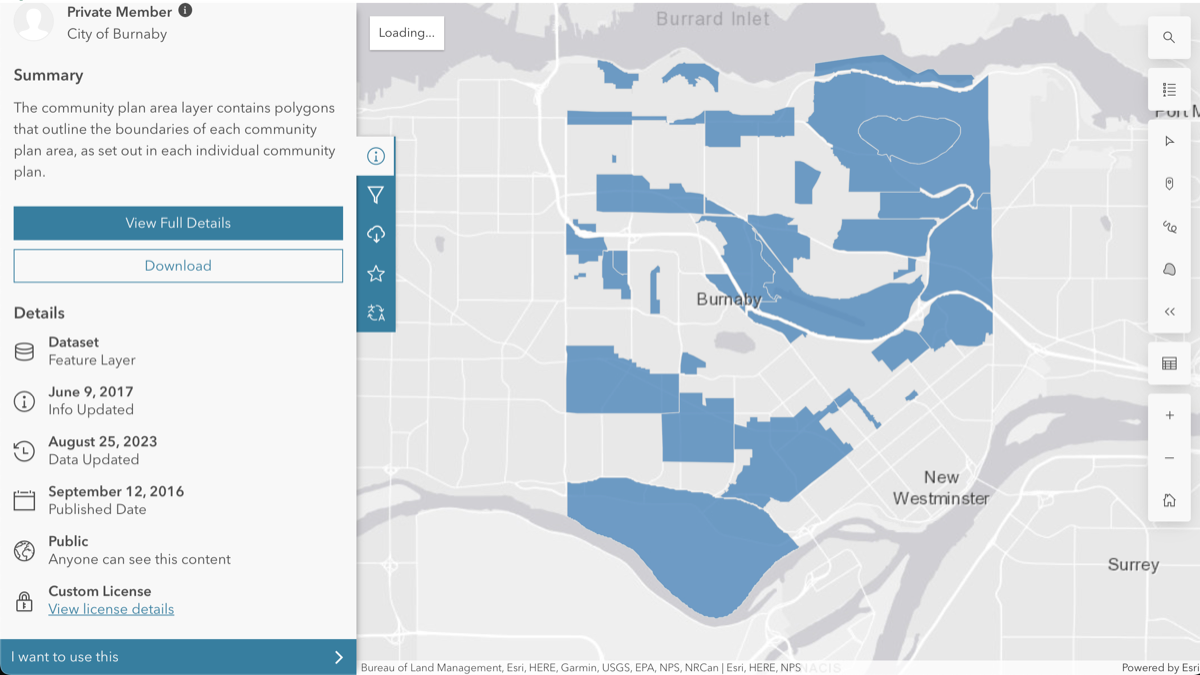
But it was too sparse and not quite what I needed. I was after a complete subdivision of Burnaby’s region, something like this one on the Heritage Burnaby website:
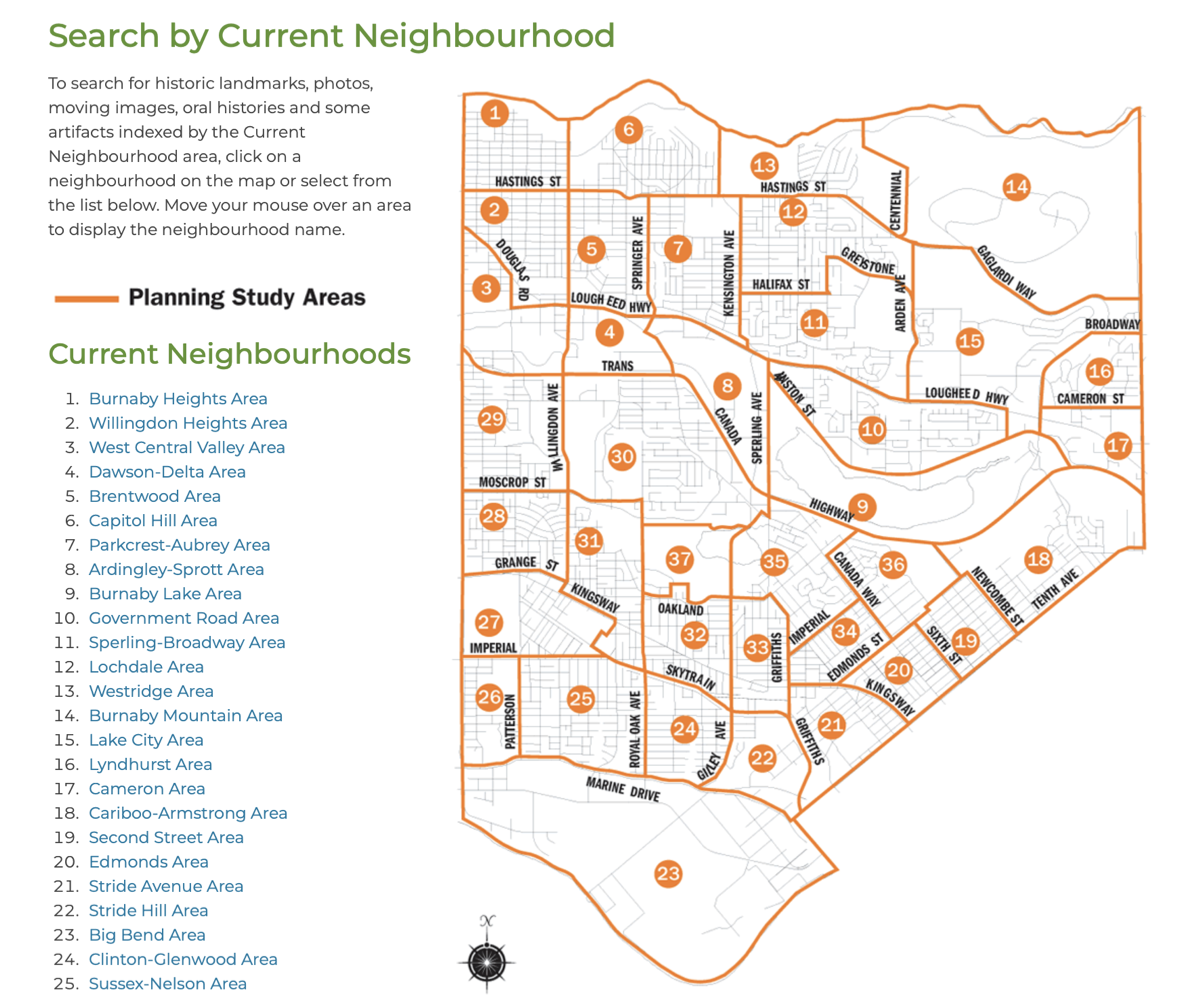
It was perfect! Except…it was just an image, not the GPS coordinates I needed. Back to square one-ish.
I reached out to the City of Burnaby for help:

While waiting for a response that never came, I picked the brains of my geography/cartography friends on how to get the geospatial information. They all concluded that “you’d have to make one yourself”. If you want something done, you have to make it happen!
Rolling Up My Sleeves: DIY Mapping
I googled tutorials on how to use QGIS and such, which looked straightforward but rather tedious. Was there really no other way? There was this cool startup that used ‘AI for digitising maps’, but with my whopping $0 budget, that was a non-starter.
Then I remembered Felt, the tool I’d used for Gogomi’s main map at the start of this whole project. It was way more user-friendly than the fancy GIS tools my geography friends were recommending.
So there I was, camped in a cafe with my laptop, friends, and a playlist of focus music. I pulled up Felt on one side of my screen and the heritage map on the other. Time to play connect-the-dots with Burnaby’s neighbourhoods!
Here’s a peek:
You know what? It was actually kind of fun. Almost meditative, like working on a digital scrapbook. Way less of a chore than I’d feared. And chatting with friends between map segments kept me sane.
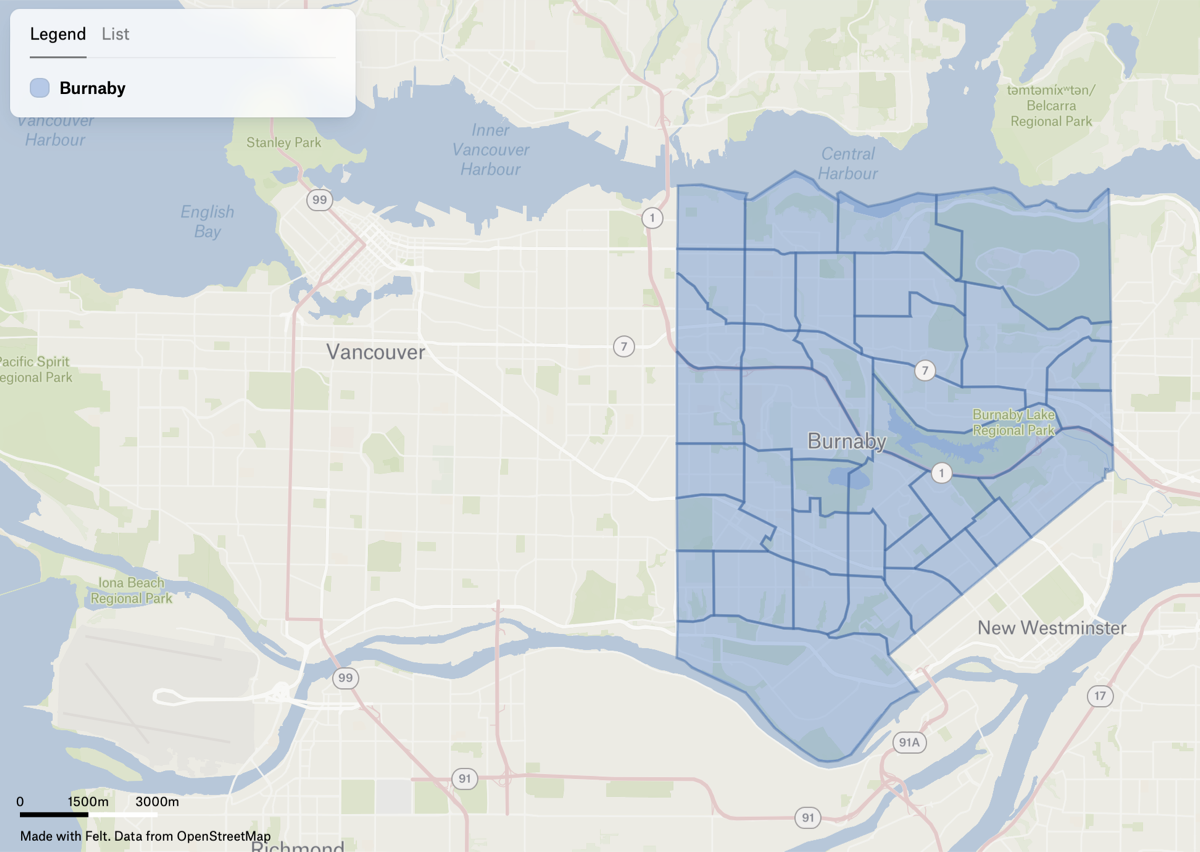
After about an hour of clicking and dragging, I had a rough sketch of Burnaby’s neighbourhoods. The final hurdle was closing the seams between polygons.
And just like that…Voila! A ‘homemade’ map of Burnaby, ready for Gogomi.
Ingesting into Gogomi
With my DIY Burnaby map ready, it was time to feed it to Gogomi. The first step was exporting to GeoJSON and then running that through an ingestion pipeline (fancy for a bunch of functions I stitched together, hehe). The functions in the pipeline take the boundaries, extract road networks, store them in Gogomi’s database, and recalculate all coverages using the walks it has tracked so far.
The moment of truth arrived and I opened the app after the ingestion process was done:
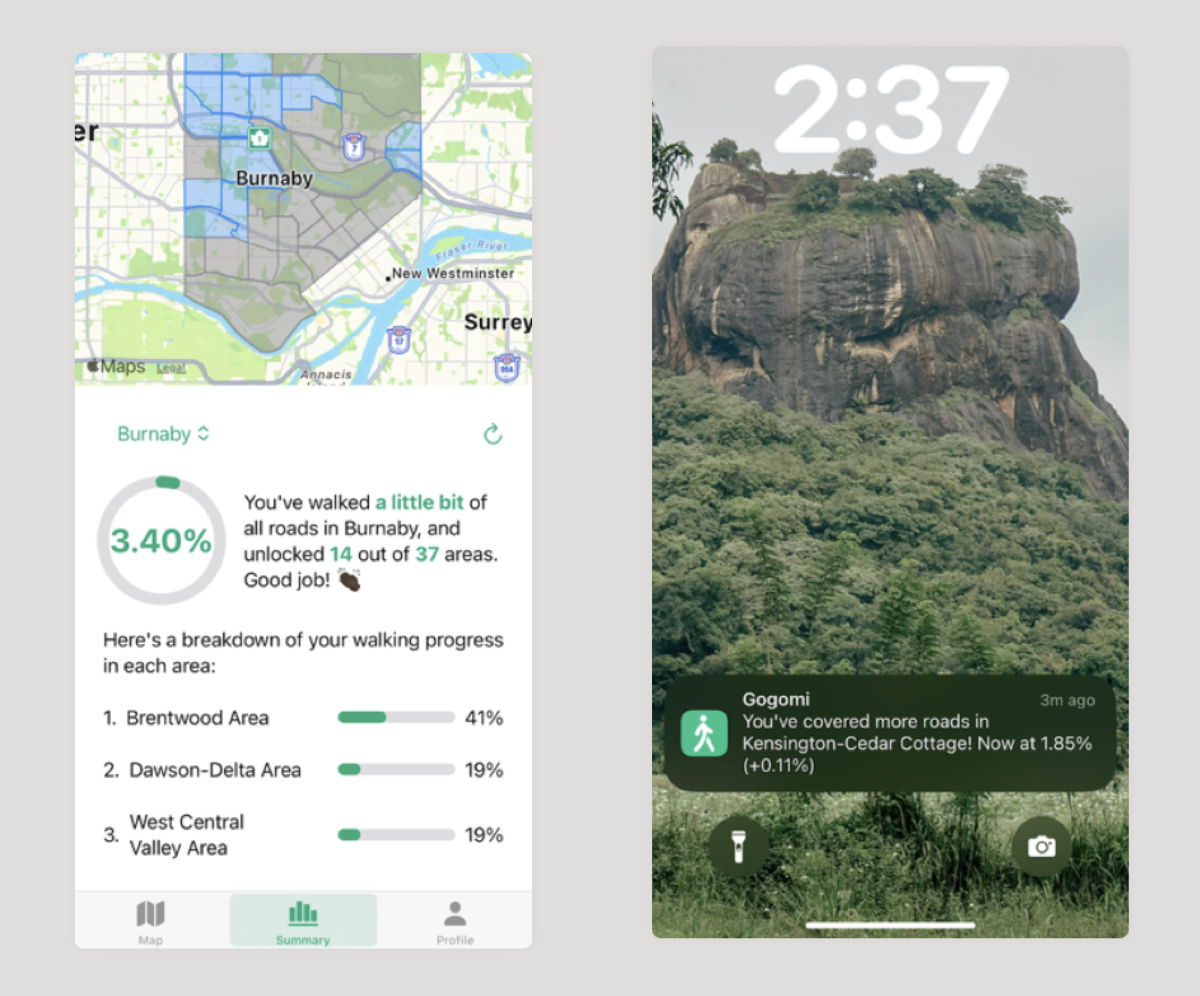
Boom! Now, Gogomi knows what a Burnaby is and can properly track my adventures through its neighbourhoods.
Conclusion
This Burnaby mapping saga taught me that sometimes, you’ve got to roll up your sleeves and do it yourself. When the data you need doesn’t exist, create it. It wasn’t always easy, but seeing Burnaby pop up in Gogomi felt pretty good!