Ep 13: Gogomi gets upgrades!
Introduction
Between my walking adventures, I’ve been tinkering more with Gogomi, my sauntering assistant. Armed with online tutorials and warm fingers from sparring with ChatGPT, I’ve made exciting improvements that I wanted to make since creating the app’s prototype:
- Replacing Siri shortcut notifications with push notifications
- Squashing bugs and enhancing the backend server and data system
- Tweaking the app’s user interface
- Switching from a web-based Felt map to Apple’s native iOS map for displaying walks
1. Push Notifications!
Gogomi’s initial version used Siri shortcuts to fetch notifications from the backend server. These notifications were based on data Gogomi stored after processing my new walks. This system had two main limitations:
- Notifications arrived only at preset times (e.g. 8 am daily) due to Siri automation constraints
- Updates weren’t real-time, arriving regardless of when Gogomi actually processed new walk data
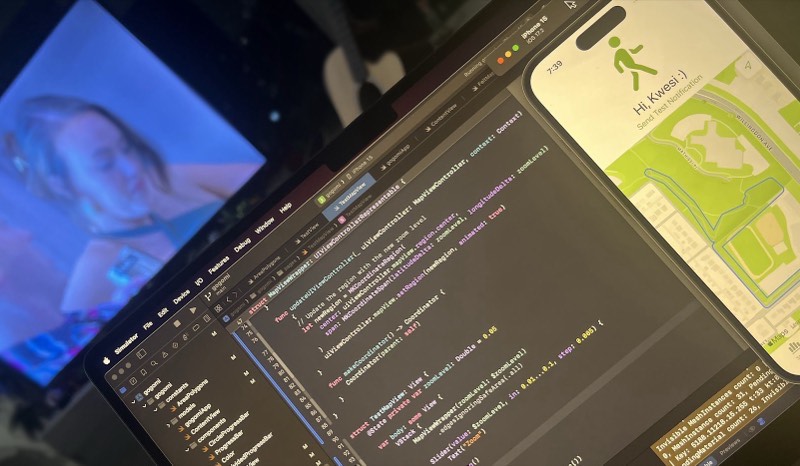
This old system worked, but I knew we could do better. Enter, Apple’s push notification service. With it, Gogomi’s server could directly send updates to my phone, eliminating the need for scheduled check-ins.
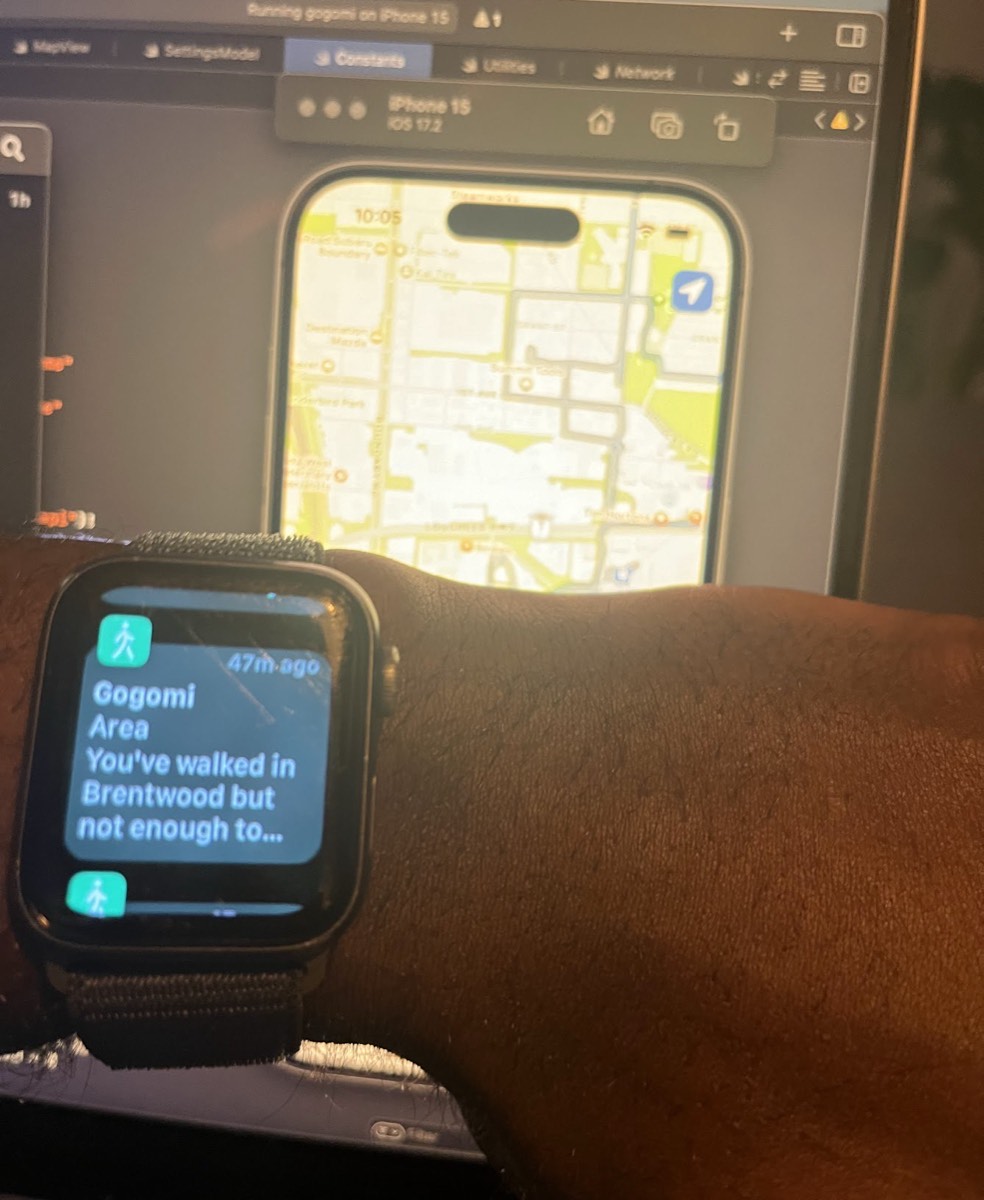
After following this helpful tutorial, I had it up and running. Now, Gogomi pings my phone the moment it tracks a new walk — no more Siri shortcuts needed!
2. Backend Updates!
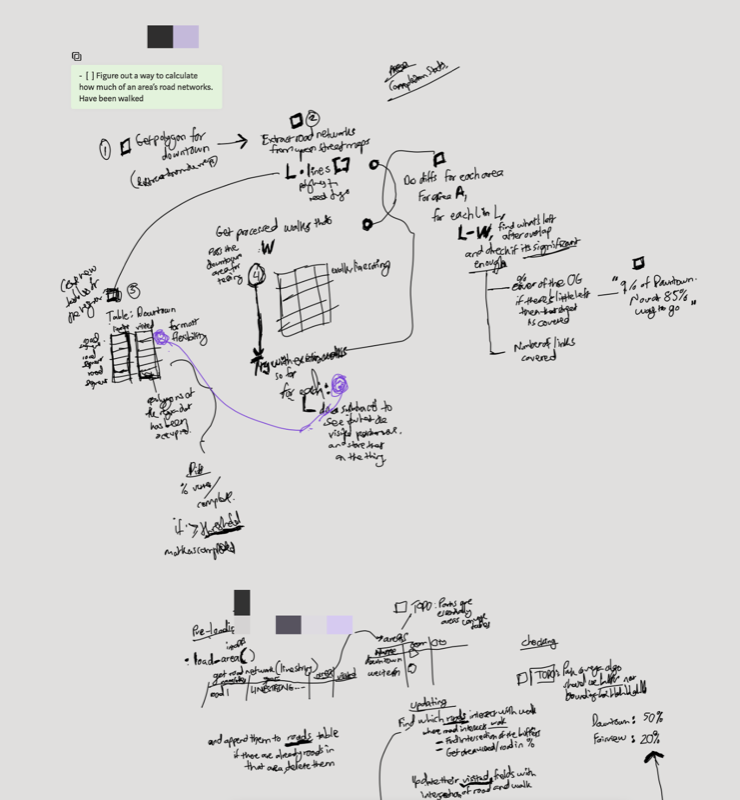
In my previous update, I added a feature to Gogomi that calculates my coverage of road networks in Vancouver’s neighbourhoods. While it worked, it was more of a quick-and-dirty prototype that needed some polishing.
So, I rolled up my sleeves and redesigned the data system, laying the groundwork for the bot to track my walks (and coverage) across multiple neighbourhoods in multiple cities, nice!
During this redesign, I found myself diving deep into the Postgres database and wrestling with the backend SQL queries I used. And boy, am I glad I did! I uncovered a pretty significant and sneaky bug that was throwing off the stats. Turns out, I was inadvertently double-buffering the linestring objects that represented my walk, which threw off coverage calculations! Fixing this bug was very satisfying, and Gogomi’s tracking accuracy shot up after this.
3. User Interface update!
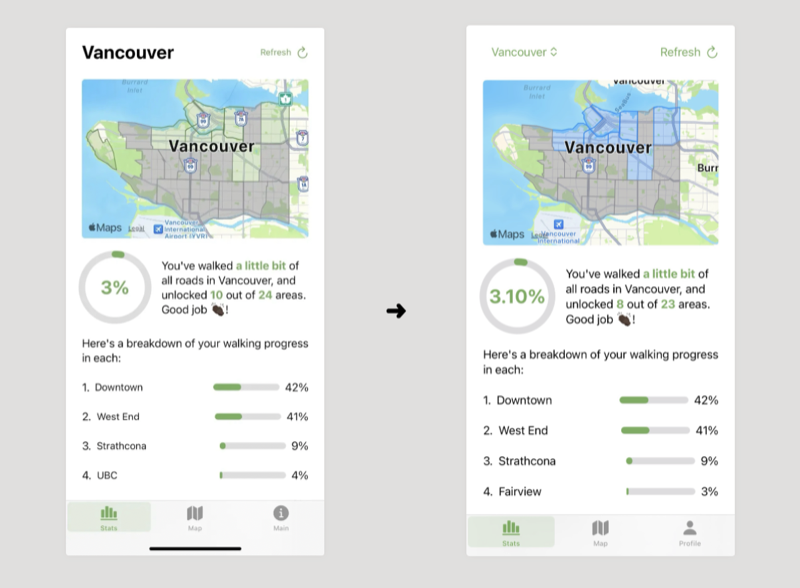
As I level up my SwiftUI skills, I gave the Summary View a little touch-up:
- Changed the city label to dropdown to select from multiple cities, again groundwork for future multi-city support
- Reformatted the coverage statistic to display decimal places, to give a more precise sense of progress while I walked this giant land mass
- Enhanced the visuals of the neighbourhood polygons, to improve at-a-glance comprehension of walking coverage
4. Transitioning to MapKit
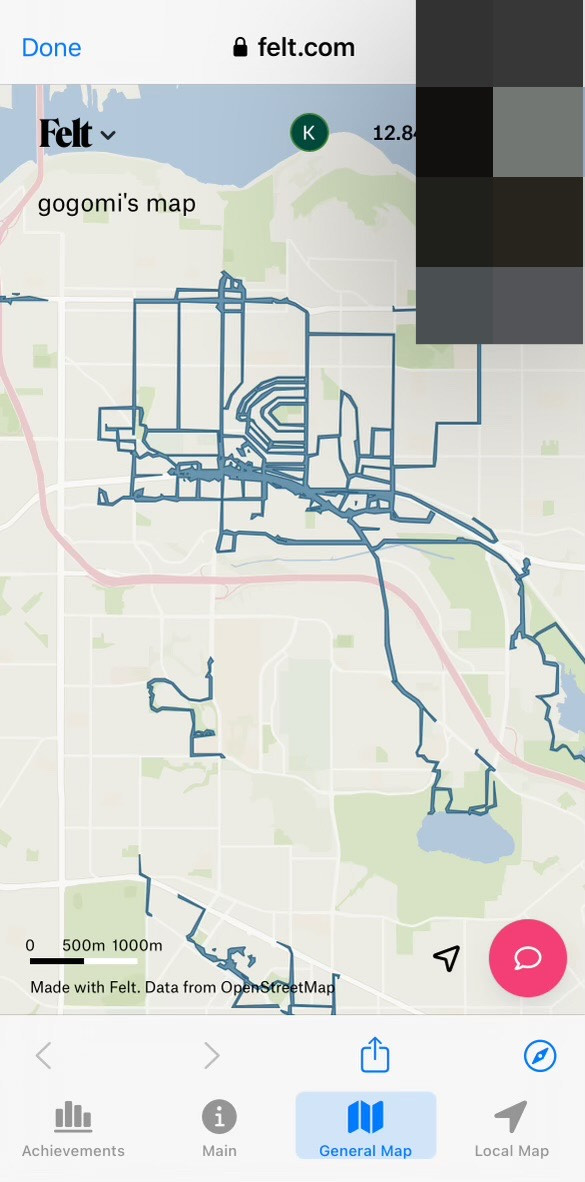
The Map view, which shows my walk traces, is the heart of Gogomi. Initially, I used a web page pointing to a Felt map. While it did the job, this approach had limitations in terms of control and offline capabilities.
I decided to transition to iOS’s native mapping framework, MapKit. With my success in rendering neighbourhood polygons on the Summary view, I dove in with confidence. However, I quickly hit a snag: Swift UI’s MapKit implementation doesn’t support multipolygons, which is how my walks are represented.
To resolve this, I turned to the more mature UIKit MapKit, which does support multipolygons. But even this solution came with its own set of challenges. My initial attempt left me confused:
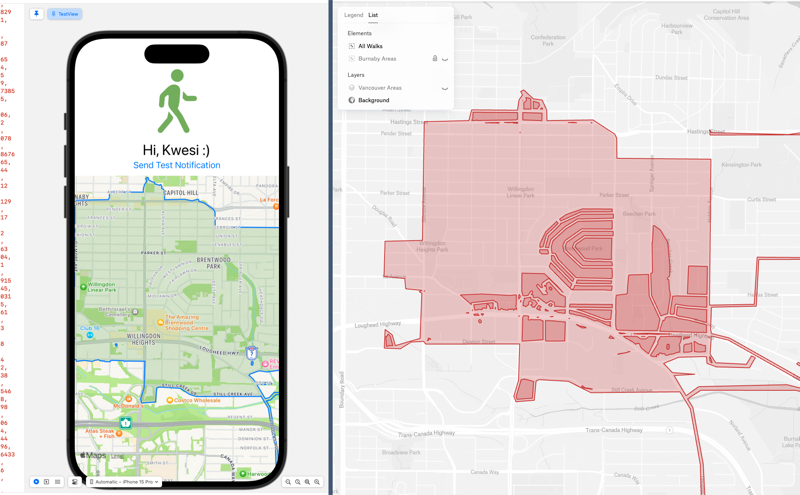
Struggling with MapKit
This rendering issue sent me down a rabbit hole in geospatial information systems. I found myself exploring how polygons are represented in GeoJSON, how various GIS programs format polygon coordinates, and how they render ‘holes‘ differently.
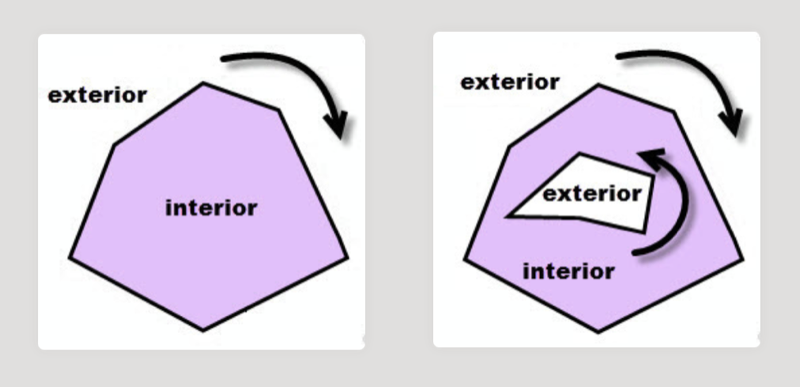
Despite my best efforts to clean the walk multipolygons, MapKit stubbornly refused to render them correctly. Frustratingly, the same data is displayed perfectly in other applications like geojson.io and Felt.
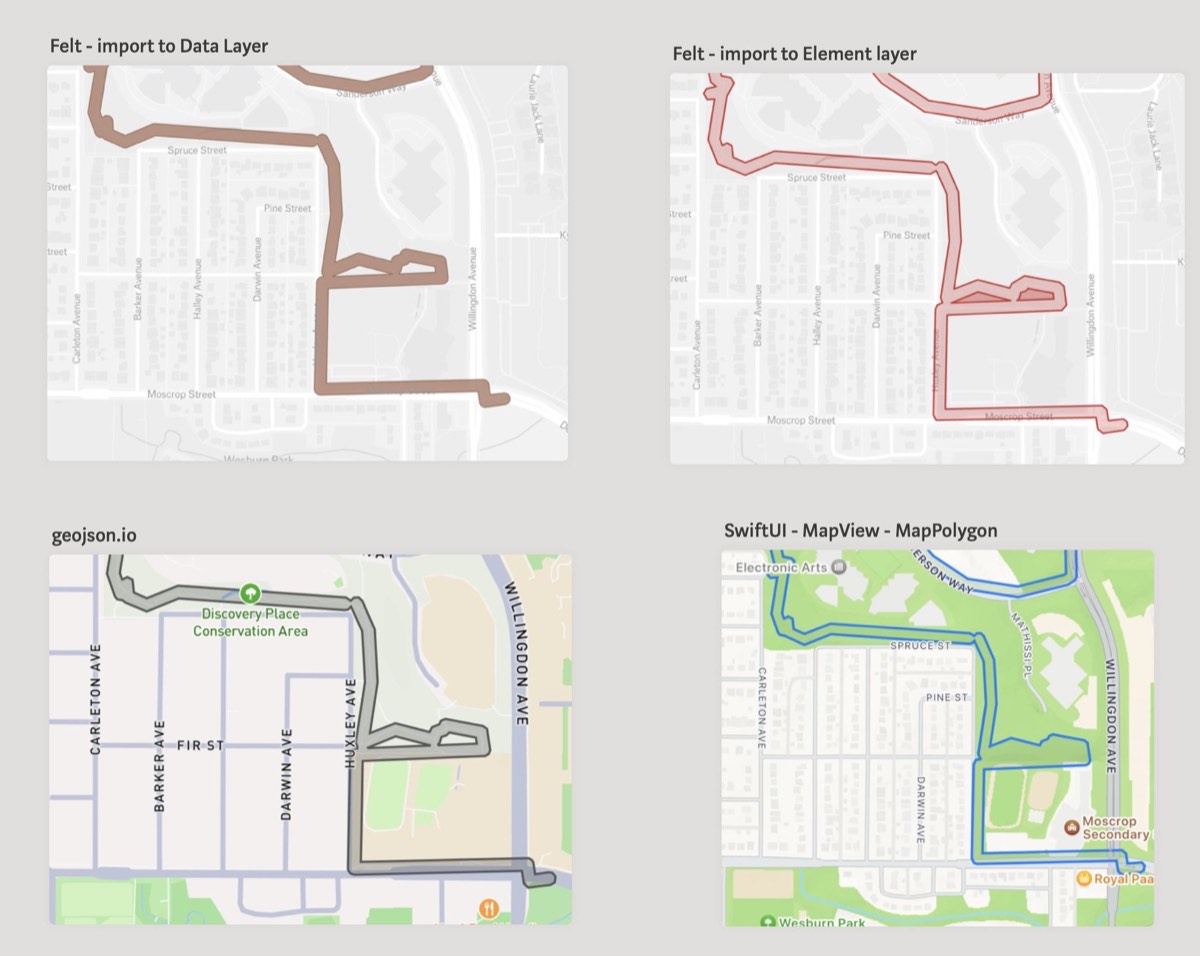
After a night of troubleshooting and a much-needed break, the solution hit me. MapKit needs you to explicitly specify the ‘inner polygons’ - those empty or invisible parts within a larger polygon. This crucial detail was hiding in plain sight in the documentation I had initially skimmed. A classic case of RTFM!

Rendering holes!
Once I realized my faux pas, I was able to render a test polygon complete with holes:
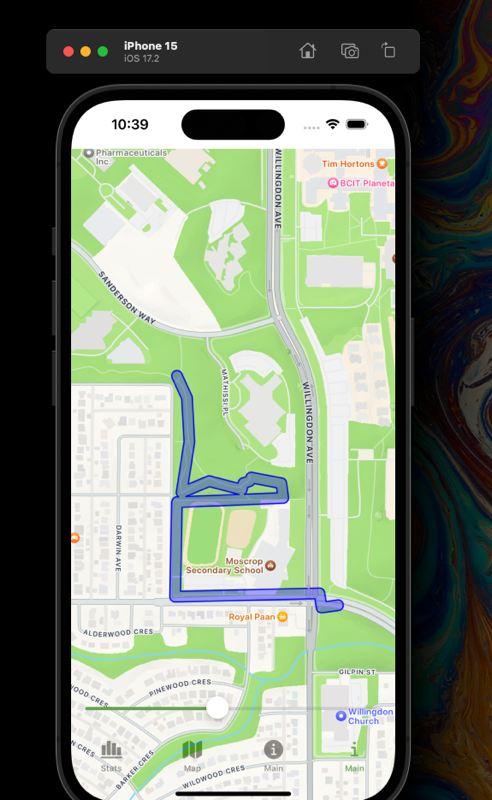
With this breakthrough, the next challenge was scaling the solution to my entire walks dataset. This meant separating polygon boundaries from the holes across the entire multipolygon of my walks - no small feat. Thankfully, PostGIS functions like ST_ExteriorRing and ST_DumpRings proved invaluable.
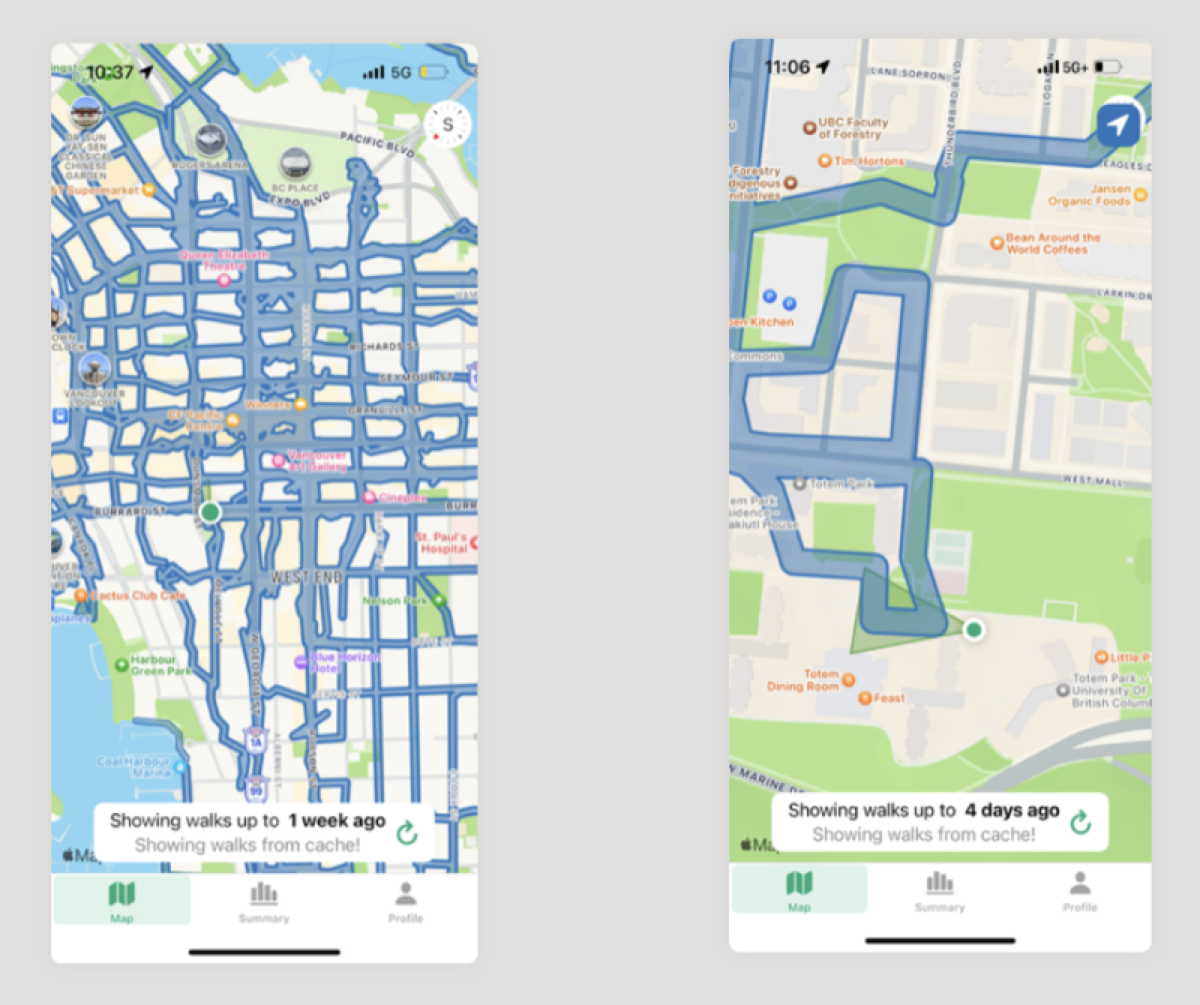
After tweaking the backend to serve up the newly structured data, I finally saw my walks displayed accurately:

And the extra benefit of this shift to MapKit is that I can locally cache walk data to make it work offline. No more relying on a constant internet connection while I was sauntering about town!
Conclusion
Gogomi has evolved significantly with its new push notifications, refined UI and offline-enabled maps. These will help my urban exploration, both during walks and when reviewing stats. The dev journey had its challenges, but the result is a more capable sauntering assistant. This is good. I am pleased.